Skip to forum
learning No Limit H...
 
Notifications
Clear all

learning No Limit Holdem - adventure & lifestyle

1,365 Posts
40 Users
342 Reactions
100.6 K Views
taavi1337
Joined: 29.05.2009

Down -3,5 stacks in 30 minutes in NL2; super happy how I played though. Pulled myself together and did some sports. Later today will also go public ice skating again with kid for 3rd day in a row, girlfriend bought the Family Season Pass the 2nd year in a row (as usual, she will probably continue with that). Smaller son (6 years old) really enjoys the public ice skating, he learned it last year.

Meanwhile you can listen to this song , we don't reach these levels yet as fiercely arguing about 6+ to 7+ childrens' video games content; she says max 20 minutes a day those games for kids and even then these contain too much violence; on my end, I haven't told her that we (me and my two sons who were 6 and 4) played "Diablo 2" 6 hours/day in 2023 from summer house for one month.... Legendary (but must keep quiet about it)


Reply
Quote
taavi1337
Joined: 29.05.2009

Played 20min NL2 session, including HU table (hu at 6max table), +0,39€. Again really happy how I played, there's always like this edge at NL2 I believe, there's always enough new players joining, so definitely a good habit to practice cashgame which starts from NL2.


Reply
Quote
MichaelCheckson
Joined: 10.06.2009

Originally posted by taavi1337
Played 20min NL2 session, including HU table (hu at 6max table), +0,39€. Again really happy how I played, there's always like this edge at NL2 I believe, there's always enough new players joining, so definitely a good habit to practice cashgame which starts from NL2.

Nice...do you still find a heads-up hlgame on Pokerstars now eith the new seating system or was tgat on another site played?


Reply
Quote
taavi1337
Joined: 29.05.2009

Originally posted by MichaelCheckson

Originally posted by taavi1337
Played 20min NL2 session, including HU table (hu at 6max table), +0,39€. Again really happy how I played, there's always like this edge at NL2 I believe, there's always enough new players joining, so definitely a good habit to practice cashgame which starts from NL2.

Nice...do you still find a heads-up hlgame on Pokerstars now eith the new seating system or was tgat on another site played?

I believe at Stars and GG you cant do that as the sites have so many players that the table would fill up in like 10 seconds. And yes Stars also prohibits table starting at NL2? It did allow it again at FLHE 4c (50c buyin).


Reply
Quote
taavi1337
Joined: 29.05.2009

Played at PokerStars like 1 round of 6max NL2 cashgame for fun, cause $ is lower than € at the moment. Won like +5bb. Gotta love Stars :f_thumbsup:


Reply
Quote
taavi1337
Joined: 29.05.2009

Look how he has to open his computer that he hates, the computer is worth a lot but he considers it worthless as he believes that he has to win at €200 buy-in level.


Reply
Quote
taavi1337
Joined: 29.05.2009

Deleted some poker goals and replaced them with gamedev goals. From new year the poker should stay <4% of total activity; 96% occupied by video game development.


Reply
Quote
taavi1337
Joined: 29.05.2009

Downloaded Paint.NET; sorry, a bit off from real poker world in a way; I hope this isn't too offensive game ad, as the game aims to be free humor:

DeerPoker - free game in the making


Reply
Quote
Super Moderator
VorpalF2F
Joined: 02.09.2010

Originally posted by taavi1337
Downloaded Paint.NET; sorry, a bit off from real poker world in a way; I hope this isn't too offensive game ad, as the game aims to be free humor:

Looks fine.
I used to use paint.net a lot.


Reply
Quote
taavi1337
Joined: 29.05.2009

Originally posted by VorpalF2F

Originally posted by taavi1337
Downloaded Paint.NET; sorry, a bit off from real poker world in a way; I hope this isn't too offensive game ad, as the game aims to be free humor:

Looks fine.
I used to use paint.net a lot.

I love the creative vibe, how I can express myself through visual art and fast visuals; through the actual visions that I have as game developer. It's like communicating those visual images to people means for me.


Reply
Quote
Super Moderator
VorpalF2F
Joined: 02.09.2010

Originally posted by taavi1337

Originally posted by VorpalF2F

Originally posted by taavi1337
Downloaded Paint.NET; sorry, a bit off from real poker world in a way; I hope this isn't too offensive game ad, as the game aims to be free humor:

Looks fine.
I used to use paint.net a lot.

I love the creative vibe, how I can express myself through visual art and fast visuals; through the actual visions that I have as game developer. It's like communicating those visual images to people means for me.

For a free program, it is magnificent.
I used it when creating all the backgrounds and frames for when I was streaming


Reply
Quote
Harrier88
Joined: 01.05.2012

I have used Paint.NET in the past for some kind of "niche" feature that I couldn't do with other kinds of image editing software. I don't even remember what it was, but I think it had something to do with transparent backgrounds.

By now, my go-to software for most image editing jobs is GIMP, I think it's a very versatile tool, some say it can even rival some kinds of professional software if you really get into it. For digital drawings by hand, I use FireAlpaca instead, which has relevant features like being sensitive to how firmly you press your pen down etc. But even for those kinds of projects, I often do post editing in GIMP.

For extremely simple edits like cropping (a good example would be a screenshot from which you only want to save a certain window), I still use standard MS Paint, because it's good at getting the bare-bones stuff done in a short time.


Reply
Quote
taavi1337
Joined: 29.05.2009

GIMP removed the transparent PNG autosupport a bit in the latest update, i guess they are more into static images recently. I don't need this big static images at the moment, i want fast moving PNGs with transparent background, that I can quickly put to the game engine. And the other thing I used GIMP for, the magic wand tool, Game Maker Studio has even much better built-in magic wand in the image editor. So GIMP is a big no-no for me at the moment.


Reply
Quote
taavi1337
Joined: 29.05.2009

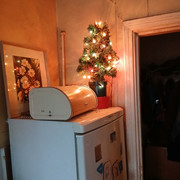
Legacy... once in the cold rooms in wilderness house from past owner, now lighting up our home in the port town...


Reply
Quote
Harrier88
Joined: 01.05.2012

Originally posted by taavi1337
GIMP removed the transparent PNG autosupport a bit in the latest update, i guess they are more into static images recently.

They did? I'm still using GIMP a lot to make PNGs with transparent backgrounds. Or do you mean something else?


Reply
Quote
taavi1337
Joined: 29.05.2009

Originally posted by Harrier88

Originally posted by taavi1337
GIMP removed the transparent PNG autosupport a bit in the latest update, i guess they are more into static images recently.

They did? I'm still using GIMP a lot to make PNGs with transparent backgrounds. Or do you mean something else?

It was working with last versions the transparency, im not going to google how it works with this "version".


Reply
Quote
taavi1337
Joined: 29.05.2009

I have never seen so many arguments about drawing software: "yeah? You wanna say GIMP can't do it?? Youre a Linux noob. Join the left wing and work for the university." And im like: "isnt it wonderful this small business how i made this 2-minute gameplay game with only GameMaker and people are totally buying it"... I love those visuals now. But im not gonna post the youtube ad as is not polite to market here.


Reply
Quote
Harrier88
Joined: 01.05.2012

Originally posted by taavi1337
It was working with last versions the transparency, im not going to google how it works with this "version".

True, some of the later versions introduced some "if it ain't broke, don't fix it" changes. In most cases, I preferred the old way, but can at least use the new layout/features.

One thing I still can't get to work, however, is the "align left/right" function. It used to work fine, aligning the outer edge of your layer or selection with the edge of the canvas, now it aligns the center of your layer/selection instead, which is useless for most purposes.

I'm sure there's a way to fix it, but I couldn't find it yet, and online searches simply explain the function itself instead.

At least aligning things in the center still works.


Reply
Quote
taavi1337
Joined: 29.05.2009

Originally posted by Harrier88

Originally posted by taavi1337
It was working with last versions the transparency, im not going to google how it works with this "version".

True, some of the later versions introduced some "if it ain't broke, don't fix it" changes. In most cases, I preferred the old way, but can at least use the new layout/features.

One thing I still can't get to work, however, is the "align left/right" function. It used to work fine, aligning the outer edge of your layer or selection with the edge of the canvas, now it aligns the center of your layer/selection instead, which is useless for most purposes.

I'm sure there's a way to fix it, but I couldn't find it yet, and online searches simply explain the function itself instead.

At least aligning things in the center still works.

Yes the errors are here to teach, i remember how i didnt update my GameMaker because of the main 1,5year game project but then updated it anyway cause i have 10 laptops sometimes in class and i wanted another project quickly to work in that computer. And yes guess what it did screw up that old project. Got it back though but now the GameMaker in that computer requires internet to work. Small thing but shows that im not expert.

So the priority of group educating took over the solo project; it was actually that I had shifted the company's priorities which created that version control mess, but it wasnt a problem as the group education class was more profitable.

I would like to see open-source only dev who creates commercial projects with that; I don't have those skills at the moment I have to admit.


Reply
Quote
taavi1337
Joined: 29.05.2009

One thing I still can't get to work, however, is the "align left/right" function. It used to work fine, aligning the outer edge of your layer or selection with the edge of the canvas, now it aligns the center of your layer/selection instead, which is useless for most purposes

There's always this question - what are the stakes? Am i exploring unknown Linux os for fun or are 7 unhappy kids raising hands? If you dont need the answer in 5 seconds it isn't problem maybe... my guess


Reply
Quote