


I downloaded the free Equilab and strange things are happening. As if the card matrices were smaller than the rest of the window.
Spoiler
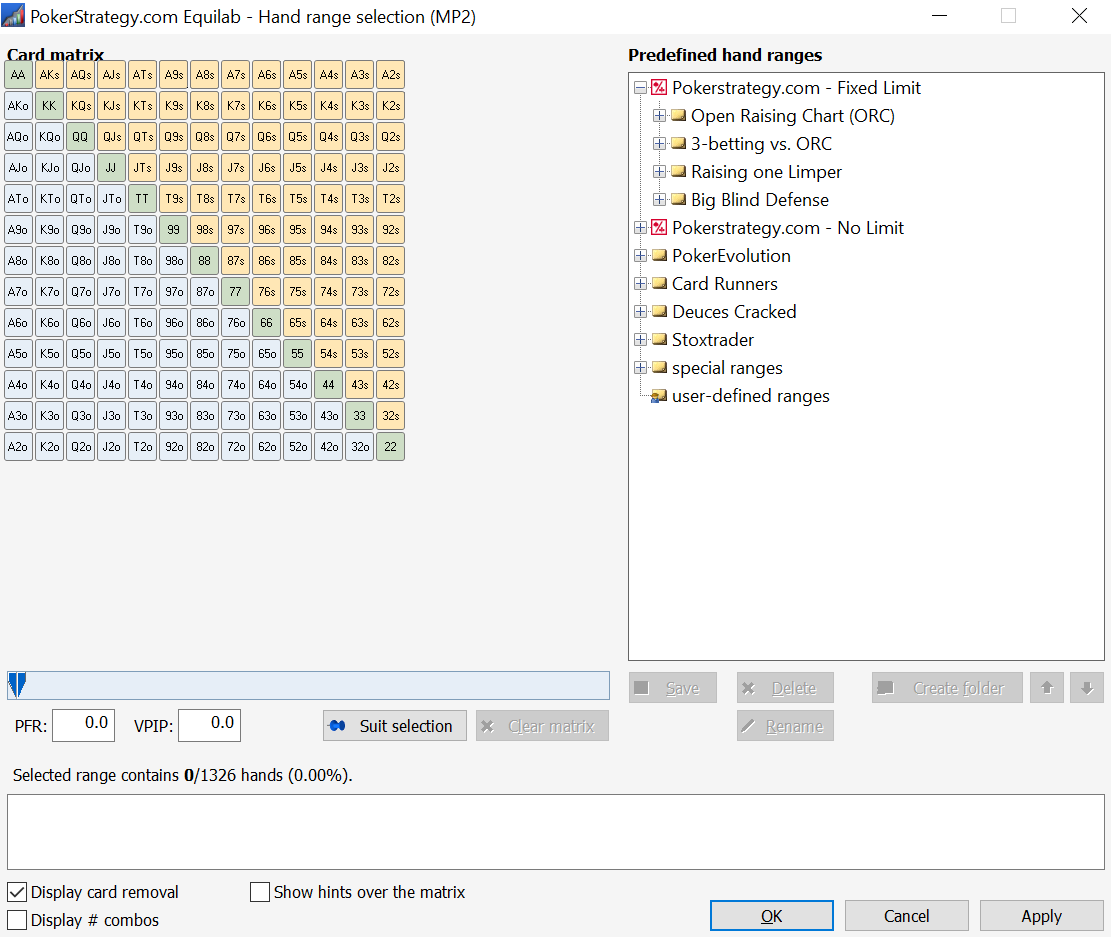
Spoiler
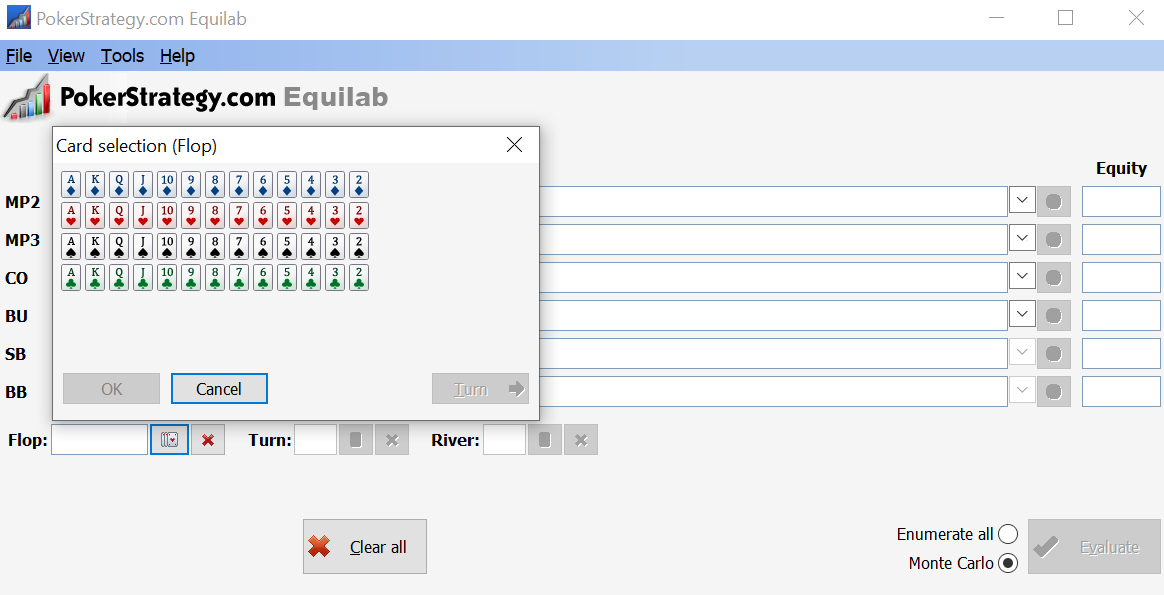
the rest looks normal
I downloaded the free Equilab and strange things are happening. As if the card matrices were smaller than the rest of the window.
the rest looks normal
Hi mampokera,
Thanks for the screen shot!
I think that this problem has occurred before, but at the moment, I can't find the solution.
What operating system?
If Win 10, right-click your desktop, choose "display settings" (near the bottom)
In the window that opens, scroll down, and check that "display resolution" is using the recommended setting.
If it isn't, and you decide to try the recommended setting, take note of what the current setting is so that you can go back.
The instructions here might help.
https://www.bing.com/search?q=change%20text%20size%20windows%2010%20site:microsoft.com&form=B00032&ocid=SettingsHAQ-BingIA&mkt=en-US
While you're checking those out, I'll try to find the post where this problem is described.
Cheers,
 VS
VS
OK I found the post I was thinking of:
https://forums.pokerstrategy.com/forum/thread.php?threadid=316901.
In that case it was related to resolution.
The pictures are no longer valid, but if you read the texts of the posts it may provide some insight.
In that thread this post:
https://forums.pokerstrategy.com/forum/thread.php?postid=1906043#post1906043
seems to be most on-target
That member was using Win 8 though, so it might not be the same...
yes, this is exactly the same problem, I have w10 and 1920x1080 resolution, but everything is solved by the post you linked.
Thanks
# case closed 
Originally posted by mampokera
yes, this is exactly the same problem, I have w10 and 1920x1080 resolution, but everything is solved by the post you linked.
Thanks
# case closed
Good to hear mampokera,
Can you please let us know exactly what part of that post worked?Cheers,
This would be great!
I have the same issue running W10 64BIT on bootcamp on 13 inch macbook pro 2019
Scaling to appearance of text, apps and other elements to 100% works for the problem, that the AA-22 cobination matrix appears . ther best resolution i found was 1680x1050.
Originally posted by VorpalF2F
Originally posted by mampokera
yes, this is exactly the same problem, I have w10 and 1920x1080 resolution, but everything is solved by the post you linked.
Thanks
# case closed
Good to hear mampokera,
Can you please let us know exactly what part of that post worked?Cheers,
Is there a way to resolve this issue without having to change the screen resolution? I've got the same problem on a 2560x1440. Changing to 1920x1080 at 100% does fix it, but this is pretty far from ideal since this is the only app with this problem.
I've tried all the settings in Compatibility > Change high DPI settings etc. Nothing helps, other than lowering the native resolution.
Hi phrwn,
Sorry I missed this -- I've been away.
I now have a machine with a high resolution monitor, so I'll be able to test.
I'll see if I can find something that works.
Give me a day or two...
That would be great. I can't think of anything else to try from the user end.
Thank you!
Sorry it took so long to get back to you.
The good news is that there is a fix -- and one that is simple and won't interfere with other apps.
To use this fix, you need to launch equilab from a shortcut, because to make this work it is necessary to modify that shortcut.
 When you installed Equilab, a shortcut was created on your desktop. We can use that one. Make a copy first if you're scared
  Right-click on the shortcut and choose "Properties"
In the Properties dialogue, choose the Compatibility tab:
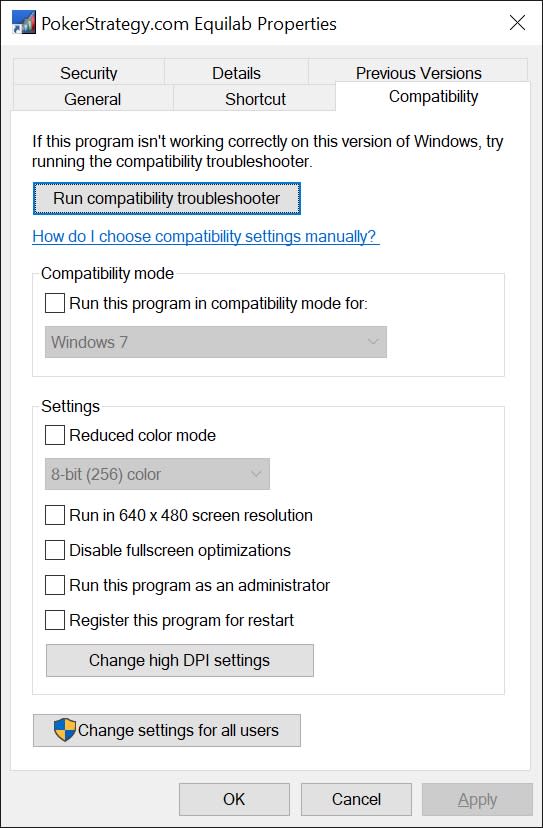
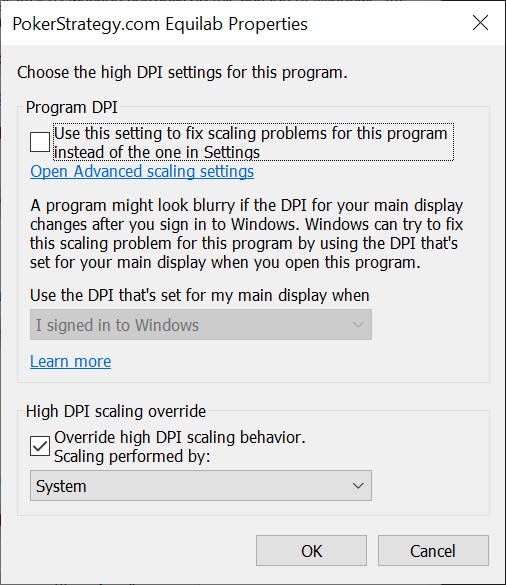
In the compatibility tab, click the "Change high DPI settings" button. In the dialogue that opens, make it look like this:
I had thought that once this change was made to one shortcut, then using a different shortcut would show the previous behaviour.
This is not the case.
Once I had made the change shown above, the program displayed correctly even when I ran the executable directly.
Here is my experience:
Before:
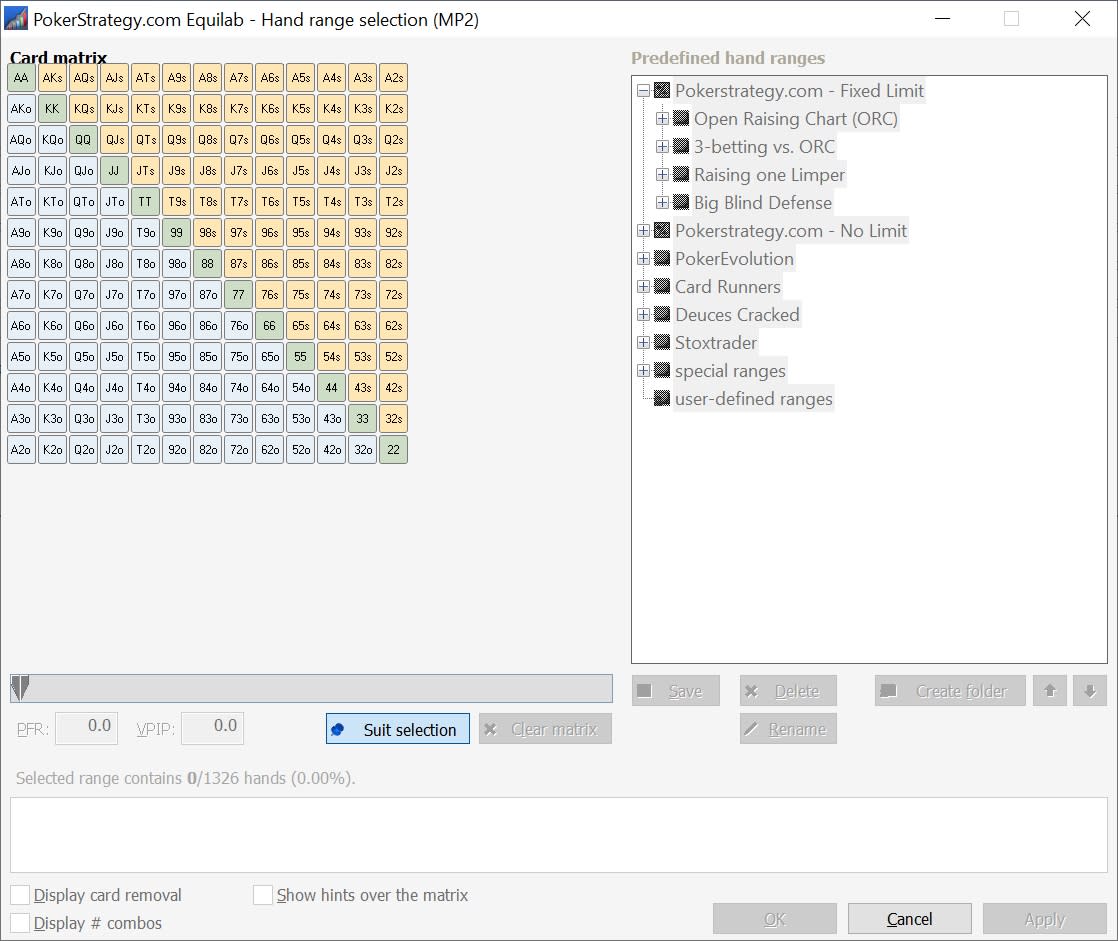
After:
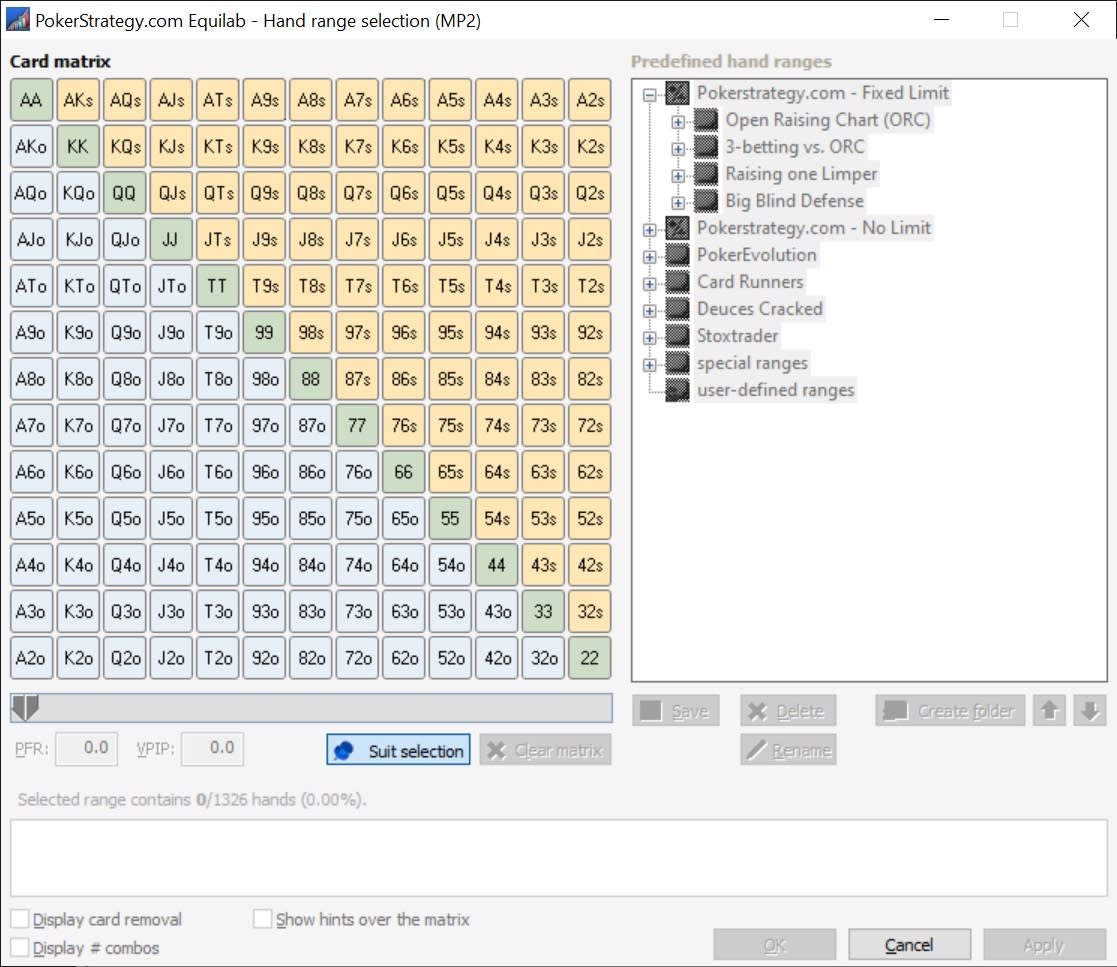
I didn't notice until I reviewed the screenshots, but the "after" version is just slightly blurry, which I guess should be expected.
Enjoy...
VS
Great! I had fiddled about with that, but it was set to 'Application' under Scaling performed by. With 'System' or 'System (Enhanced)' - not sure what the difference is - it works. Thanks - I've been using it anyway, but this will make it easier.
Originally posted by phrwn
Great! I had fiddled about with that, but it was set to 'Application' under Scaling performed by. With 'System' or 'System (Enhanced)' - not sure what the difference is - it works. Thanks - I've been using it anyway, but this will make it easier.
Hi Azaz131313,
Welcome to PokerStrategy.com 
For some strange reason, your post looks garbled.
I removed the duplicated quote, but still it doesn't work.
Originally posted by Azaz131313
Originally posted by phrwn
Great! I had fiddled about with that, but it was set to 'Application' under Scaling performed by. With 'System' or 'System (Enhanced)' - not sure what the difference is - it works. Thanks - I've been using it anyway, but this will make it easier.
But it works when I do it.
Anyway, welcome to PokerStrategy.com
did you have problems with Equilab also?




