Hi jvivas1990,
Here is a screenshot showing the currently available actions:
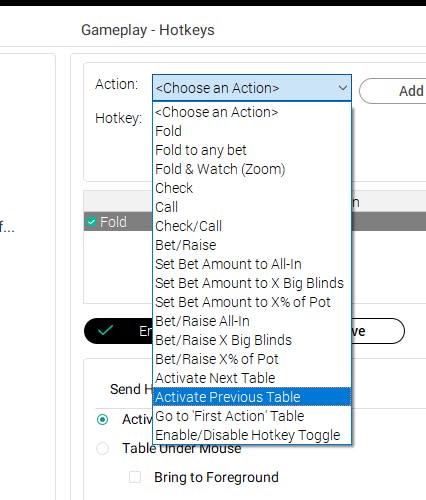
It doesn't look like "raise bet amount" isn't in the list.
On checking I find that what you seek is already available
In Settings | Gameplay | Multi-Tabling
Click "Highlight bet amount"
Now, when you go to a table, the bet amount is blank, and you can raise and lower the bet amount with the up/down arrows.
Settings | Gameplay | Bet Slider
Set the increment to either Big Blind or Small Blind.
Now each press of an up or down arrow key will adjust the bet amount by the size you've chosen.
The right and left arrow keys permit finer editing.
Nifty -- I never knew this.
Cheers,
 VS
VS


 - yes!!!


