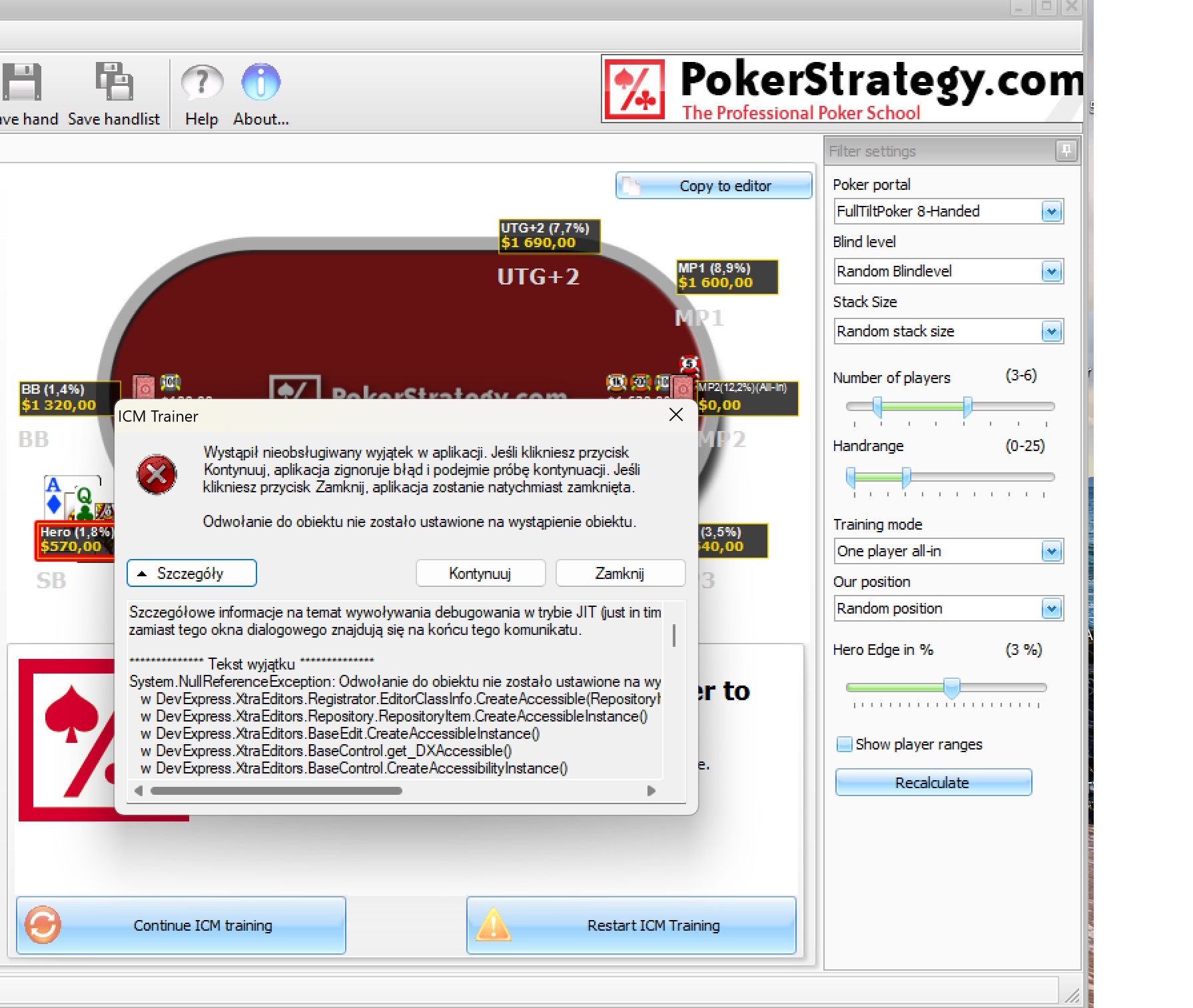
hi, thank you for trying to help me. here is text translated to english with the whole error
when trying continue, sometimes i get passed after 15tries, mostly i get more than 15clicks to find that i can only close app.
An unhandled exception occurred in the application. If you click the Continue button, the application will ignore the error and attempt to continue. If you click the Close button, the application will close immediately.
Object reference not set to an instance of an object
Details on invoking just-in-time (JIT) debugging instead of this dialog box are at the end of this message.
*********** Exception Text ********
System.NullReferenceException: Object reference not set to an instance of an object.
at DevExpress.XtraEditors.Registrator.EditorClassInfo.CreateAccessible(RepositoryItem item)
at DevExpress.XtraEditors.Repository.RepositoryItem.CreateAccessibleInstance()
in DevExpress.XtraEditors.BaseEdit.CreateAccessibleInstance()
in DevExpress.XtraEditors.BaseControl.get_DXAccessible()
in DevExpress.XtraEditors.BaseControl.CreateAccessibilityInstance()
at System.Windows.Forms.Control.get_AccessibilityObject()
at System.Windows.Forms.Control.GetAccessibilityObject(Int32 accObjId)
at System.Windows.Forms.Control.WmGetObject(Message& m)
In System.Windows.Forms.Control.WndProc(Message&m)
at DevExpress.Utils.Controls.ControlBase.WndProc(Message& m)
at DevExpress.XtraEditors.BaseEdit.WndProc(Message& m)
at System.Windows.Forms.Control.ControlNativeWindow.OnMessage(Message& m)
at System.Windows.Forms.Control.ControlNativeWindow.WndProc(Message& m)
at System.Windows.Forms.NativeWindow.Callback(IntPtr hWnd, Int32 msg, IntPtr wparam, IntPtr lparam)
******** Sets loaded ********
mscorlib
Kit version: 2.0.0.0
Win32 version: 2.0.50727.9179 (WinRelRS6.050727-9100)
CodeBase: file:///C:/Windows/Microsoft.NET/Framework/v2.0.50727/mscorlib.dll
----------------------------------------
ICMTrainer
Assembly version: 1.0.0.0
Win32 version: 1.0.0.0
CodeBase: file:///C:/Program%20Files%20(x86)/PokerStrategy/ICM%20Trainer/ICMTrainer.exe
----------------------------------------
PokerControls
Assembly version: 1.0.0.0
Win32 version: 1.0.0.0
CodeBase: file:///C:/Program%20Files%20(x86)/PokerStrategy/ICM%20Trainer/PokerControls.DLL
----------------------------------------
DevExpress.Utils.v7.2
Assembly version: 7.2.2.0
Win32 version: 7.2.2.0
CodeBase: file:///C:/Program%20Files%20(x86)/PokerStrategy/ICM%20Trainer/DevExpress.Utils.v7.2.DLL
----------------------------------------
System.Windows.Forms
Assembly version: 2.0.0.0
Win32 version: 2.0.50727.9157 (WinRelRS6.050727-9100)
CodeBase: file:///C:/WINDOWS/assembly/GAC_MSIL/System.Windows.Forms/2.0.0.0__b77a5c561934e089/System.Windows.Forms.dll
----------------------------------------
System
Assembly version: 2.0.0.0
Win32 version: 2.0.50727.9176 (WinRelRS6.050727-9100)
CodeBase: file:///C:/WINDOWS/assembly/GAC_MSIL/System/2.0.0.0__b77a5c561934e089/System.dll
----------------------------------------
System.Drawing
Assembly version: 2.0.0.0
Win32 version: 2.0.50727.9157 (WinRelRS6.050727-9100)
CodeBase: file:///C:/WINDOWS/assembly/GAC_MSIL/System.Drawing/2.0.0.0__b03f5f7f11d50a3a/System.Drawing.dll
----------------------------------------
PBNCore
Assembly version: 1.11.0.0
Win32 version: 1.0.0.0
CodeBase: file:///C:/Program%20Files%20(x86)/PokerStrategy/ICM%20Trainer/PBNCore.DLL
----------------------------------------
mscorlib.resources
Assembly version: 2.0.0.0
Win32 version: 2.0.50727.9179 (WinRelRS6.050727-9100)
CodeBase: file:///C:/Windows/Microsoft.NET/Framework/v2.0.50727/mscorlib.dll
----------------------------------------
DevExpress.XtraEditors.v7.2
Assembly Version: 7.2.2.0
Win32 Version: 7.2.2.0
CodeBase: file:///C:/Program%20Files%20(x86)/PokerStrategy/ICM%20Trainer/DevExpress.XtraEditors.v7.2.DLL
----------------------------------------
DevExpress.Data.v7.2
Assembly Version: 7.2.2.0
Win32 Version: 7.2.2.0
CodeBase: file:///C:/Program%20Files%20(x86)/PokerStrategy/ICM%20Trainer/DevExpress.Data.v7.2.DLL
----------------------------------------
System.Xml
Assembly version: 2.0.0.0
Win32 version: 2.0.50727.9157 (WinRelRS6.050727-9100)
CodeBase: file:///C:/WINDOWS/assembly/GAC_MSIL/System.Xml/2.0.0.0__b77a5c561934e089/System.Xml.dll
----------------------------------------
ICMNash
Assembly version: 1.0.0.0
Win32 version: 1.0.0.0
CodeBase: file:///C:/Program%20Files%20(x86)/PokerStrategy/ICM%20Trainer/ICMNash.DLL
----------------------------------------
DevExpress.XtraGrid.v7.2
Assembly version: 7.2.2.0
Win32 version: 7.2.2.0
CodeBase: file:///C:/Program%20Files%20(x86)/PokerStrategy/ICM%20Trainer/DevExpress.XtraGrid.v7.2.DLL
----------------------------------------
DevExpress.XtraBars.v7.2
Assembly version: 7.2.2.0
Win32 version: 7.2.2.0
CodeBase: file:///C:/Program%20Files%20(x86)/PokerStrategy/ICM%20Trainer/DevExpress.XtraBars.v7.2.DLL
-----------------------------------------
System.Data
Assembly version: 2.0.0.0
Version
Win32: 2.0.50727.9176 (WinRelRS6.050727-9100)
CodeBase: file:///C:/WINDOWS/assembly/GAC_32/System.Data/2.0.0.0__b77a5c561934e089/System.Data.dll
-----------------------------------------
System.Configuration
Assembly Version: 2.0.0.0
Win32 Version: 2.0.50727.9157 (WinRelRS6.050727-9100)
CodeBase: file:///C:/WINDOWS/assembly/GAC_MSIL/System.Configuration/2.0.0.0__b03f5f7f11d50a3a/System.Configuration.dll
----------------------------------------
Accessibility
Assembly version: 2.0.0.0
Win32 version: 2.0.50727.9157 (WinRelRS6.050727-9100)
CodeBase: file:///C:/WINDOWS/assembly/GAC_MSIL/Accessibility/2.0.0.0__b03f5f7f11d50a3a/Accessibility.dll
----------------------------------------
System.Design
Assembly version: 2.0.0.0
Win32 version: 2.0.50727.9157 (WinRelRS6.050727-9100)
CodeBase: file:///C:/WINDOWS/assembly/GAC_MSIL/System.Design/2.0.0.0__b03f5f7f11d50a3a/System.Design.dll
----------------------------------------
DevExpress.XtraNavBar.v7.2
Assembly version: 7.2.2.0
Win32 version: 7.2.2.0
CodeBase: file:///C:/Program%20Files%20(x86)/PokerStrategy/ICM%20Trainer/DevExpress.XtraNavBar.v7.2.DLL
----------------------------------------
DevExpress.XtraTreeList.v7.2
Assembly version: 7.2.2.0
Win32 version: 7.2.2.0
CodeBase: file:///C:/Program%20Files%20(x86)/PokerStrategy/ICM%20Trainer/DevExpress.XtraTreeList.v7.2.DLL
-----------------------------------------
eyjtfcn0
Assembly Version: 2.0.0.0
Win32 Version: 2.0.50727.9176 (WinRelRS6.050727-9100)
CodeBase: file:///C:/WINDOWS/assembly/GAC_MSIL/System/2.0.0.0__b77a5c561934e089/System.dll
----------------------------------------
Microsoft.mshtml
Assembly Version: 7.0.3300.0
Win32 Version: 7.0.3300.0
CodeBase: file:///C:/WINDOWS/assembly/GAC/Microsoft.mshtml/7.0.3300.0__b03f5f7f11d50a3a/Microsoft.mshtml.dll
----------------------------------------
ICSharpCode.SharpZipLib
Assembly version: 0.85.2.329
Win32 version: 0.85.2.329
CodeBase: file:///C:/Program%20Files%20(x86)/PokerStrategy/ICM%20Trainer/ICSharpCode.SharpZipLib.DLL
----------------------------------------
System.Windows.Forms.resources
Assembly version: 2.0.0.0
Win32 version: 2.0.50727.9157 (WinRelRS6.050727-9100)
CodeBase: file:///C:/WINDOWS/assembly/GAC_MSIL/System.Windows.Forms.resources/2.0.0.0_pl_b77a5c561934e089/System.Windows.Forms.resources.dll
----------------------------------------
******** JIT Debugging ***********
To enable JIT (just-in-time) debugging, the .config file for this
application or machine (machine.config) must have the jitDebugging value set in the system.windows.forms section.
The application must also be compiled with debugging enabled.
For example:
<configuration>
<system.windows.forms jitDebugging="true" />
</configuration>
When JIT debugging is enabled, all unhandled exceptions
are sent to the JIT debugger registered on the computer
and are not handled in this dialog box.





 Does it always happen, or just some of the time?
 VS
VS


