Skip to forum
Weird Optibet impor...
 
Notifications
Clear all

Weird Optibet import behaviour

7 Posts
3 Users
0 Reactions
2,322 Views
Super Moderator
VorpalF2F
Joined: 02.09.2010

The hands import according to the "View Import Status" tab, and the HUD displays, but the hands aren't listed in the "View Today's Hands" tab.
If I go to the "View Stats" section, and use the report THands (Hand) then they all show up, and appear to be fine.

I'm using v4.15.29

These were Twister games.

No filters active


Reply
Quote
6 replies
PokerTracker
Joined: 07.06.2011

In hand reports there is a checkbox labelled 'Show Marked Hands Only' and a drop down for tagging. Make certain that 'Show Marked Hands Only' is unchecked and that the drop down says 'No Tags Selected' by unchecking any checked tags:

Guide: Tagging Hands

If that is not the problem right click on the empty report and select 'Configure Report'. In the window that appears, click 'Restore to Default' and then 'OK' to see if that fixes things. If not please attach a screenshot so we can see what is going on. Get the entire PokerTracker 4 window and don't zoom in on anything.

- Rob


Reply
Quote
Super Moderator
VorpalF2F
Joined: 02.09.2010

Interesting -- I closed PT4 after taking all the screenshots. When I reopened it, the hands were listed in "Today's Hands"
I played another tournament, yet the new hands did not appear as they were played.
When I first re-opened PT4, I did the "configure report" and reset it to the defaults

Here are the relevant screenshots taken at the end of the 1st tournament:
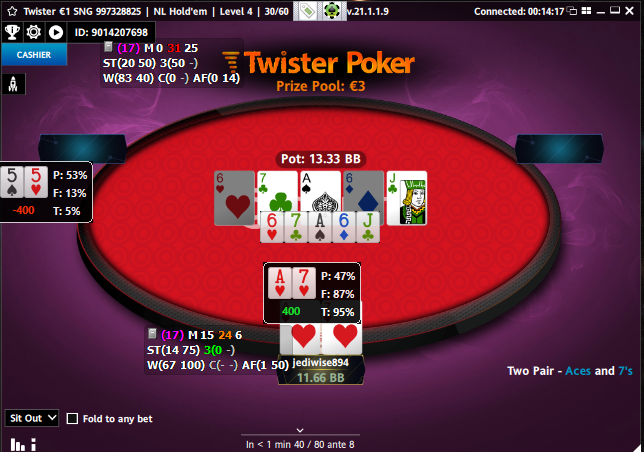
1:  The table
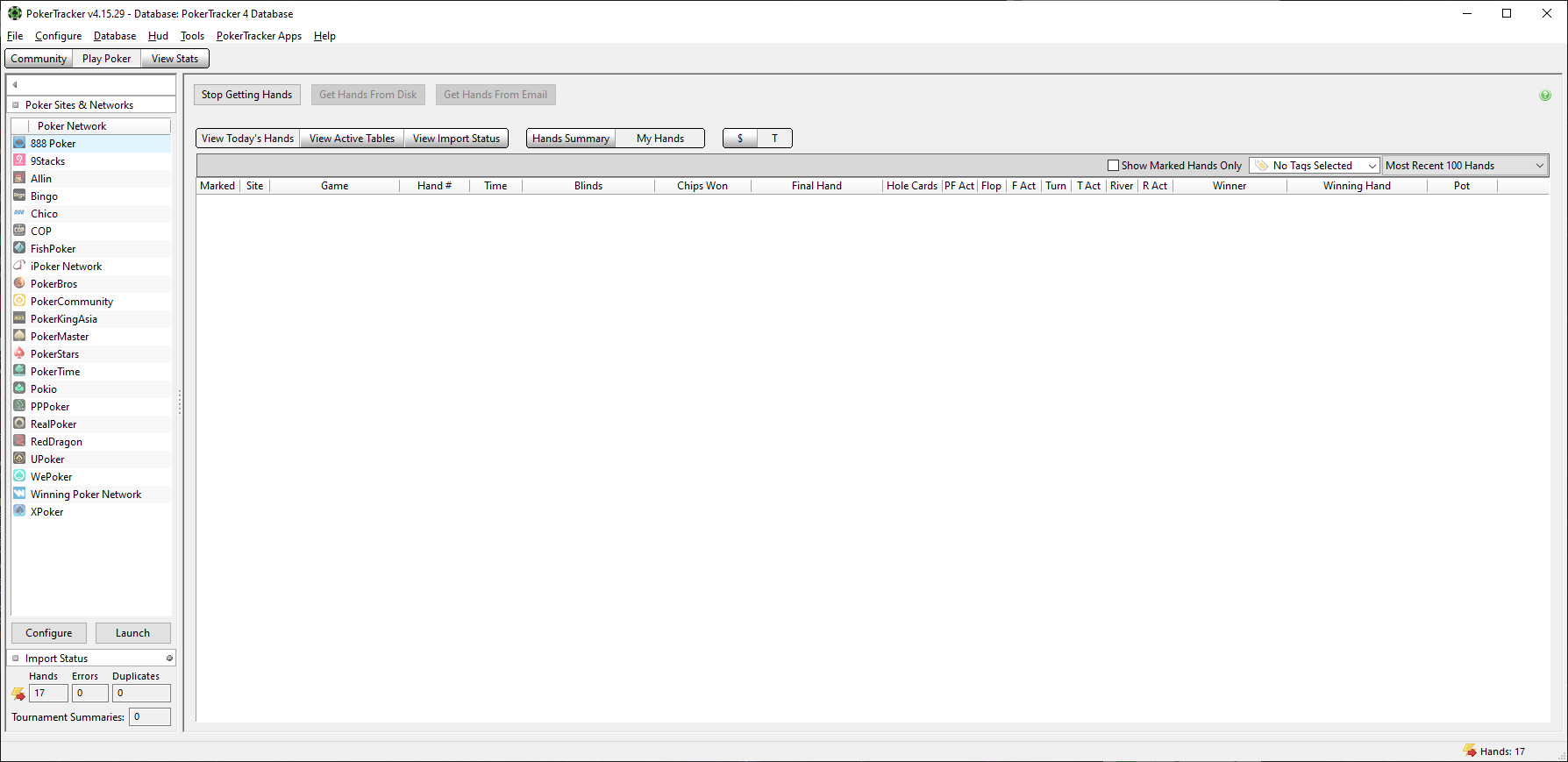
2:  The "Today's Hands" Window:
note the number of hands on the bottom right

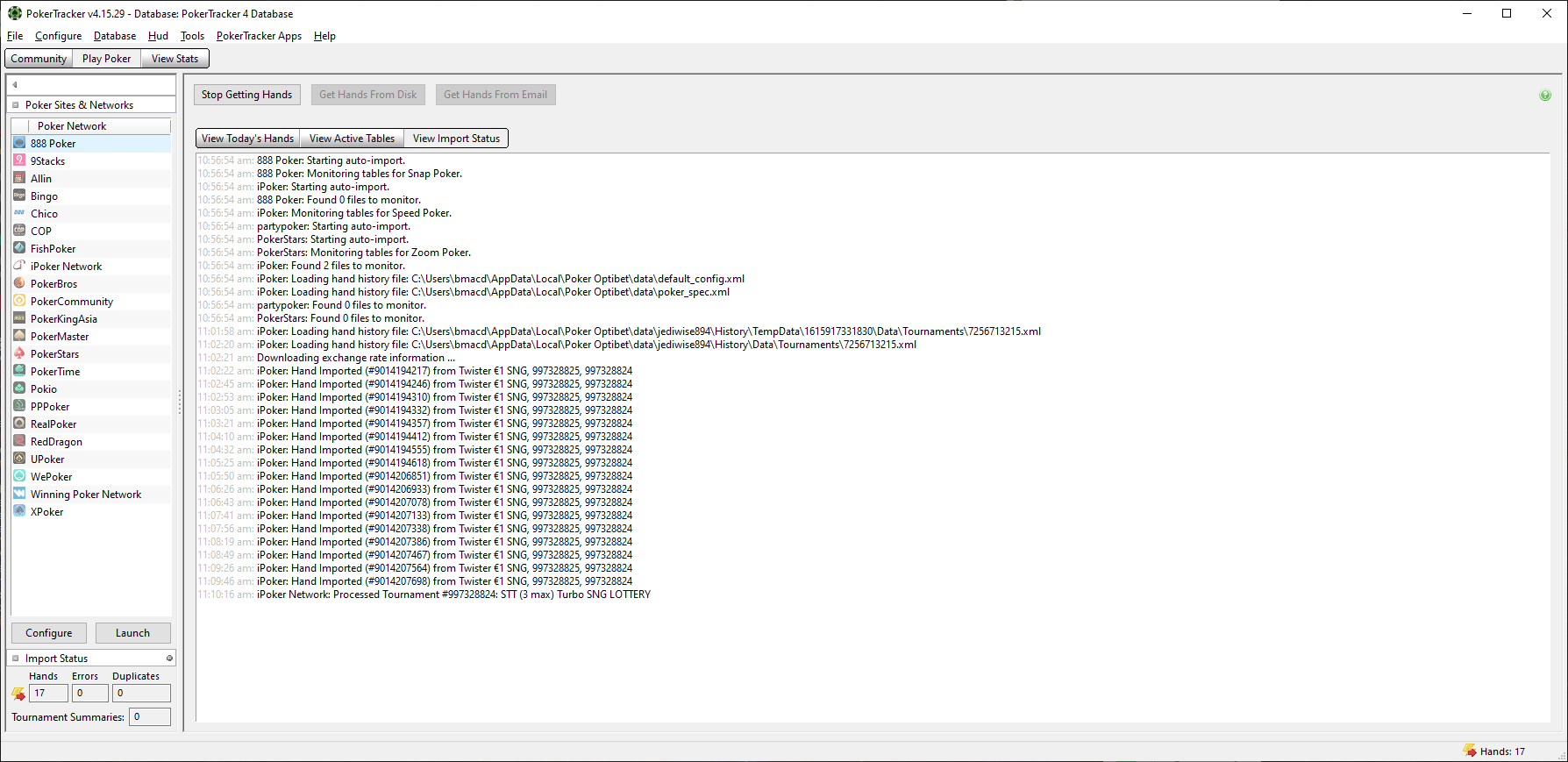
3:  "Import Status"

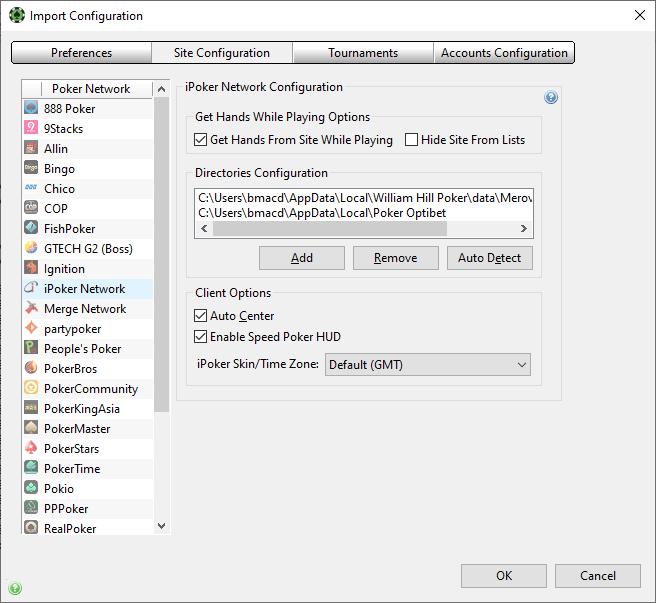
4:  iPoker Configuration


Reply
Quote
PokerTracker
Joined: 07.06.2011

Your auto import folder for Optibet is set too high and that can cause problems when PokerTracker 4 searches that folder and all of its subfolders. Please reconfigure and point PokerTracker 4 to the second 'Data' folder inside the history folder and no higher than that:

C:\Users\{Windows Login}\AppData\Local\{iPoker Client Name}\data\{iPoker Screenname}\History\Data

Also iPoker do not specify the timezone in their hand histories so are the hands importing with the correct date/time into PokerTracker 4? The iPoker lobby time (bottom left) should be set to the server time (the option that isn't "local" in the dropdown list) and then set in PokerTracker 4 using the time zone option in your last screenshot (if your specific iPoker skin isn't in the list then you can pick any as long as it uses the same timezone).

- Rob


Reply
Quote
Super Moderator
VorpalF2F
Joined: 02.09.2010

Thanks!
The timezone fix was the problem.


Reply
Quote
PokerTracker
Joined: 07.06.2011

Thanks for the update :f_drink:

- Rob


Reply
Quote
Merlinious
Joined: 22.11.2017

This helped me a lot, thank you!


Reply
Quote