Skip to forum
[OFFICIAL Support T...
 
Notifications
Clear all

[OFFICIAL Support Thread] Power-Equilab - Equity calculation tool

346 Posts
81 Users
46 Reactions
175.3 K Views
Super Moderator
VorpalF2F
Joined: 02.09.2010

Hi Jevgnko600,
Welcome to the EN community forums! :welcome:

SH means "Short Handed"
FR means "Full Ring"
In a full ring game, there are usually 9 players, sometimes 10
In a short-handed game, there are usually 6

When there are fewer people at the table you can play more hands.
I suggest that you read the No Limit Hold'em lessons overview and follow through all the suggested articles in order. Once you've done that, you'll have all the basic knowledge.

You probably already know much of it, but it is still a good idea to read it through.

Best of luck :gl:,
VS


Reply
Quote
nopi
Joined: 18.08.2006

Hi everybody,

some changes in the new version 1.11.13.0 :)

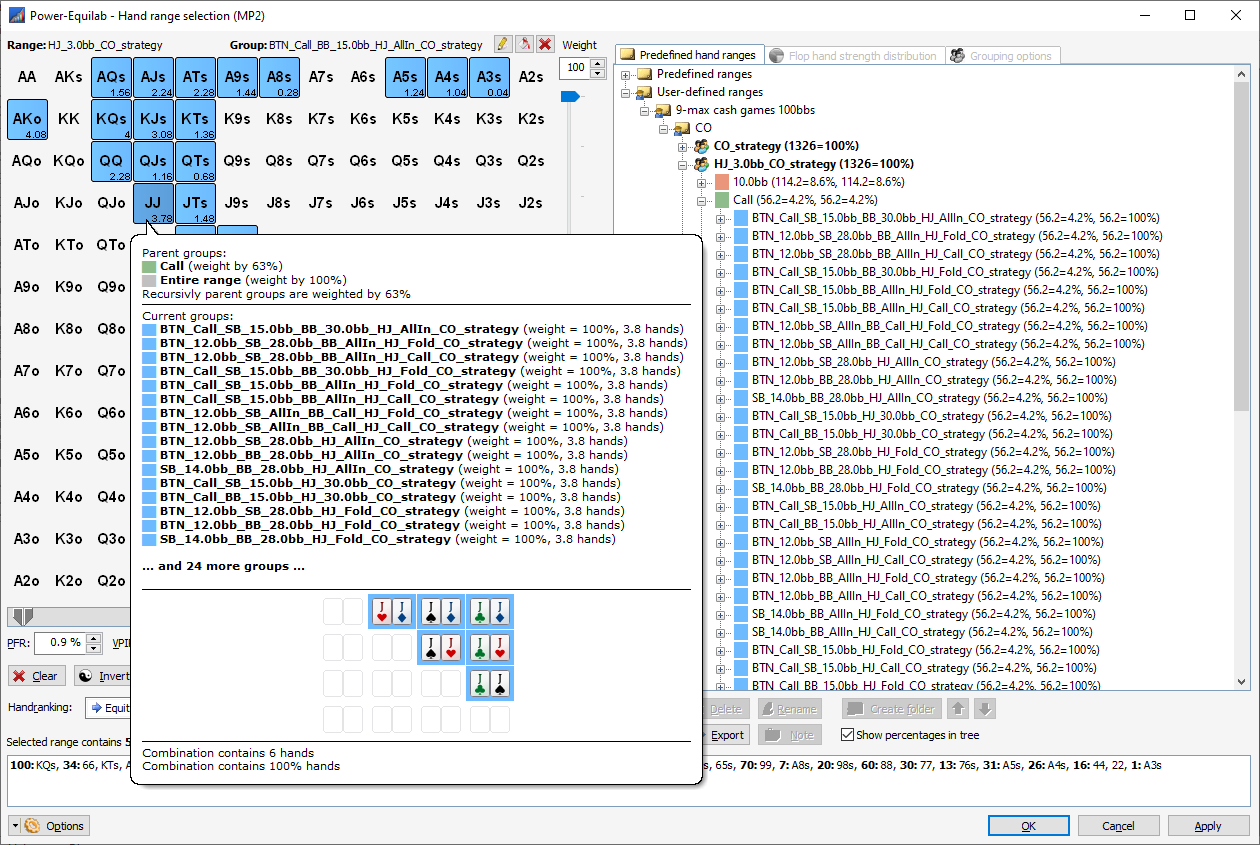
Some user implemented their own import with many brother and sister ranges. From now the number of groups are unlimited:

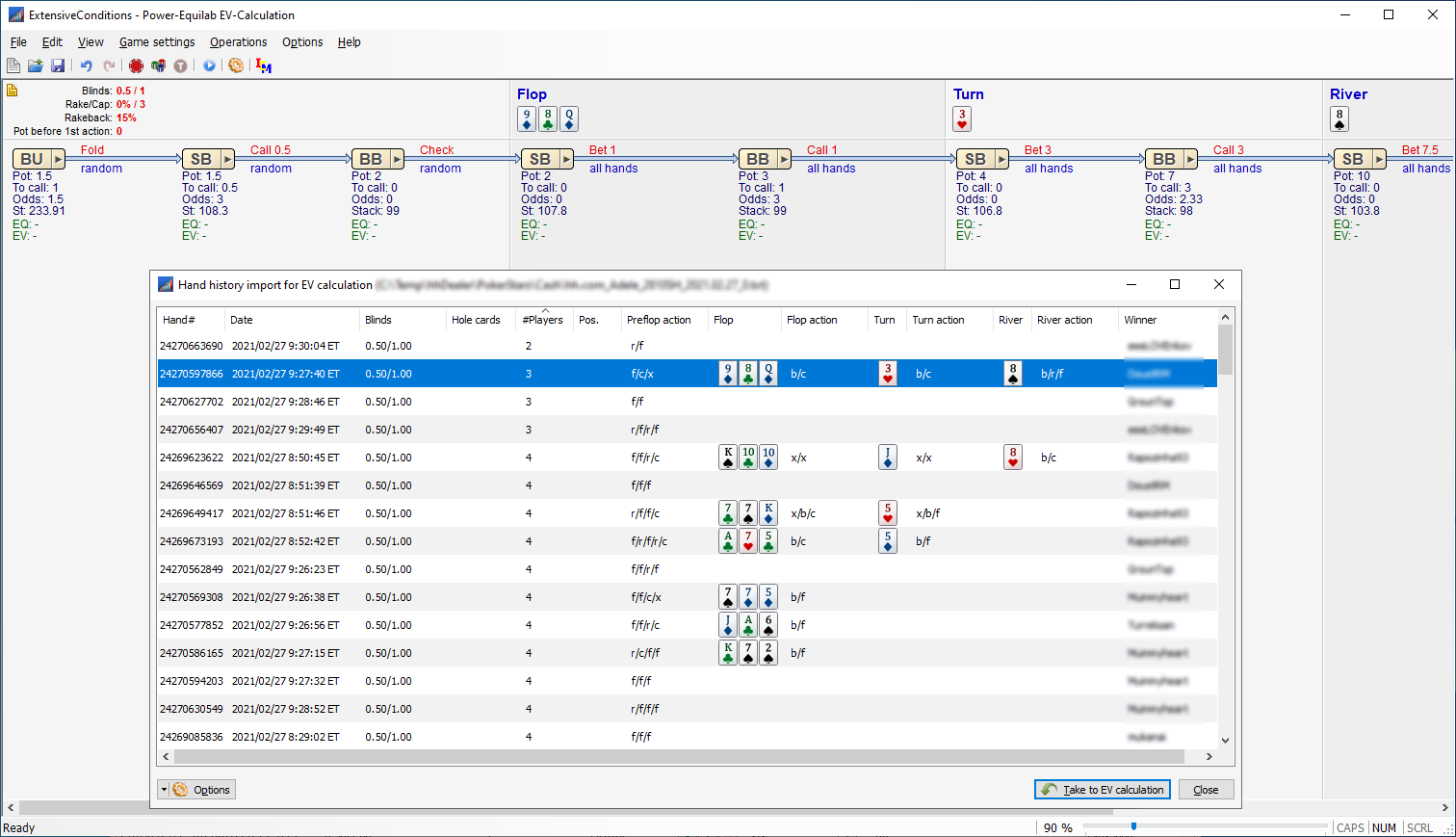
Improved hand history import with detailed tooltips and more columns. This works both with the Power-Equilab and the Power-Equilab EV calculation:

Much detailed options and combined options in the handstrength-distibution window:

... and some other minor changes.

best regards, nopi


Reply
Quote
nopi
Joined: 18.08.2006

Hi together,

Some changes in the newest version 1.11.15.0 :)
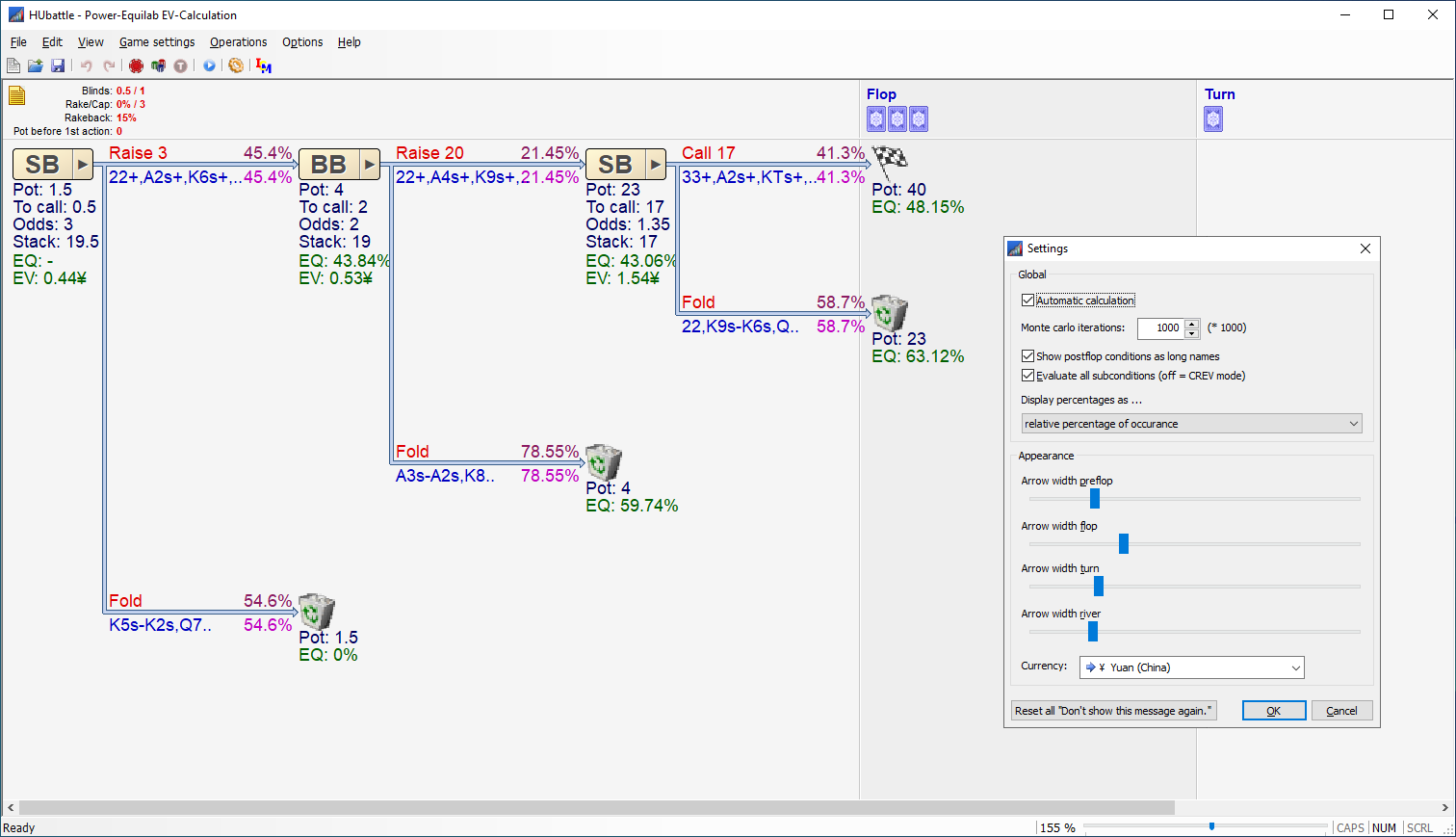
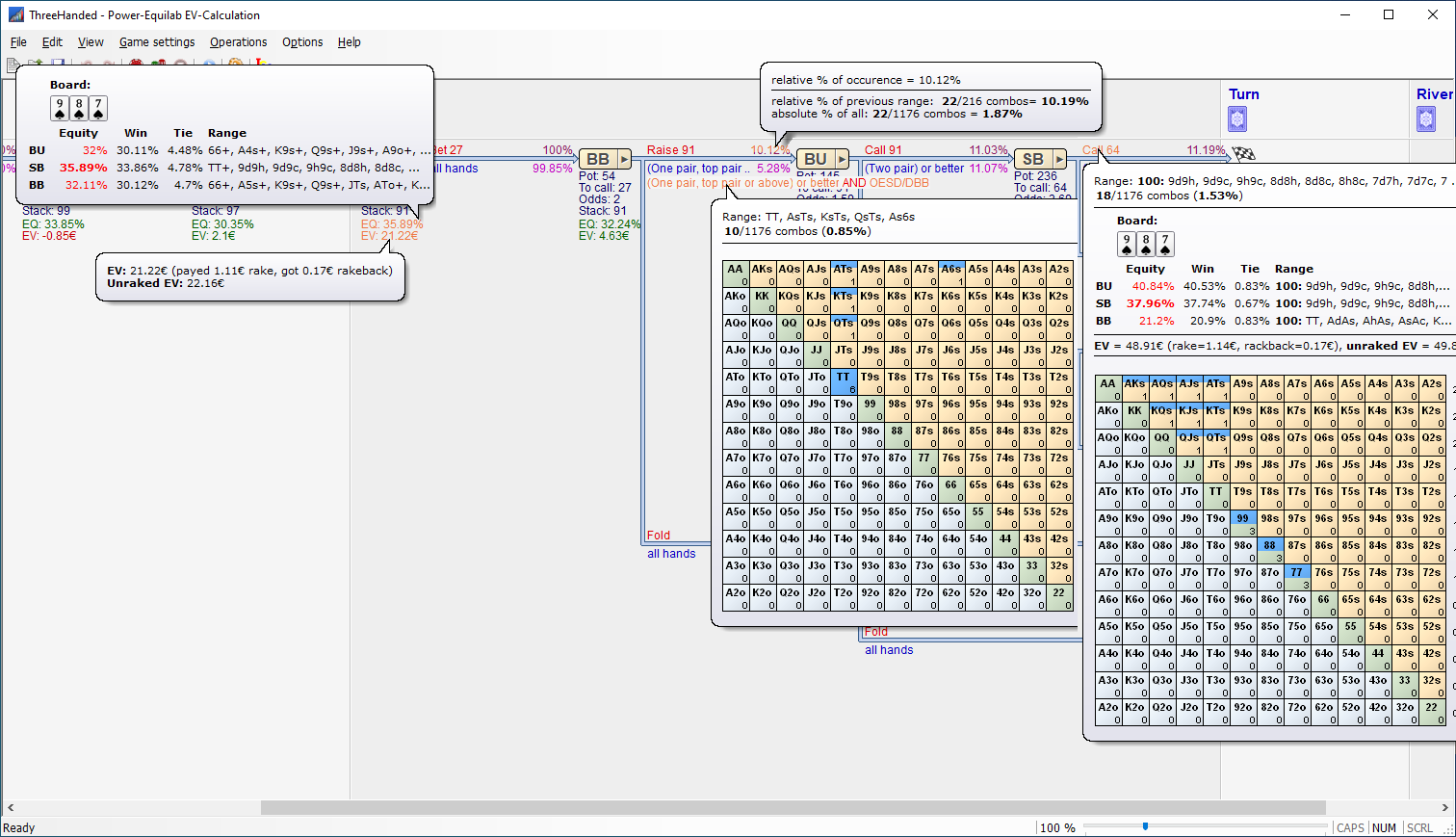
We have improved and supplemented the EV calculation (decision trees) in various places.
Just check out the whole thing and play around with it a bit.
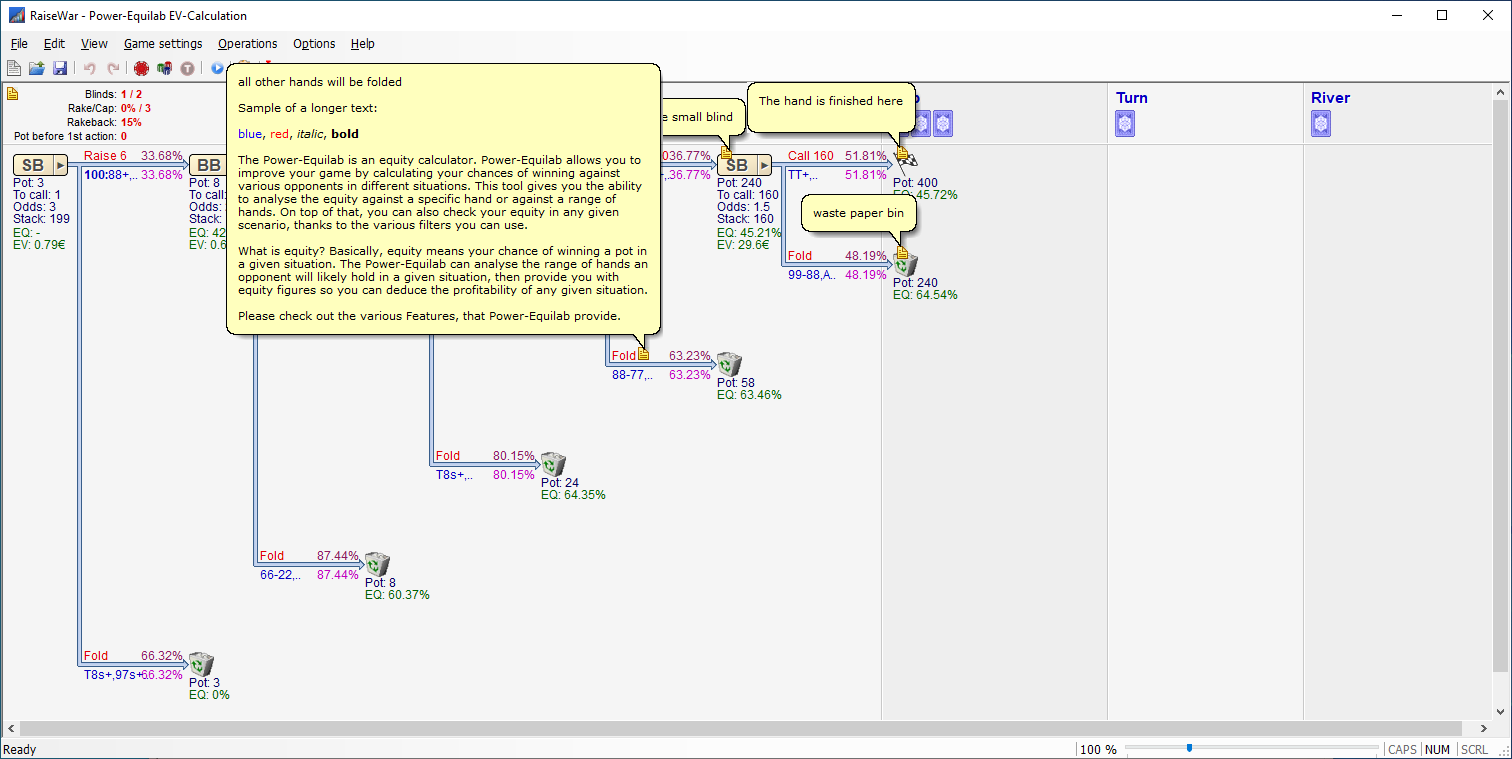
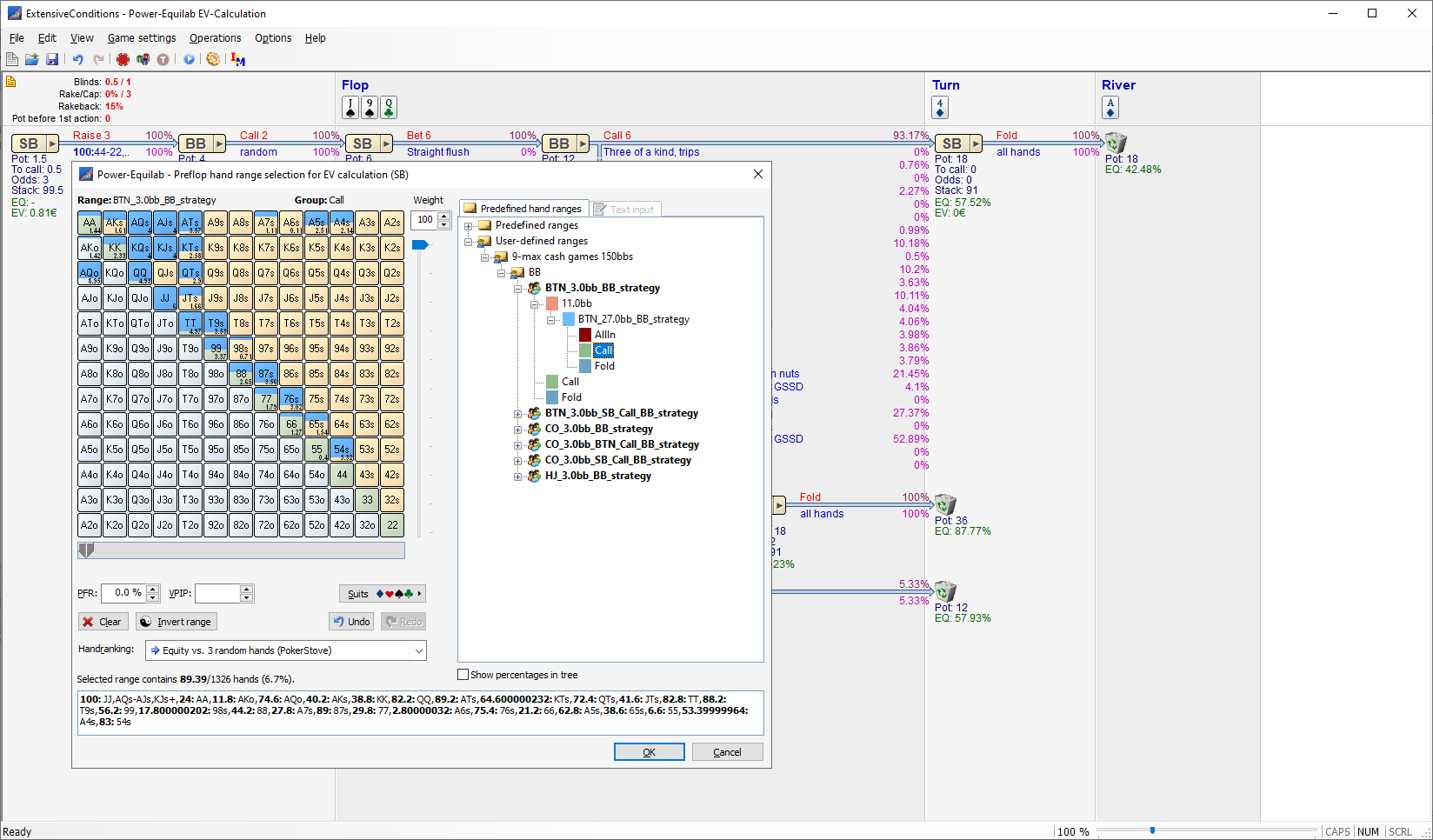
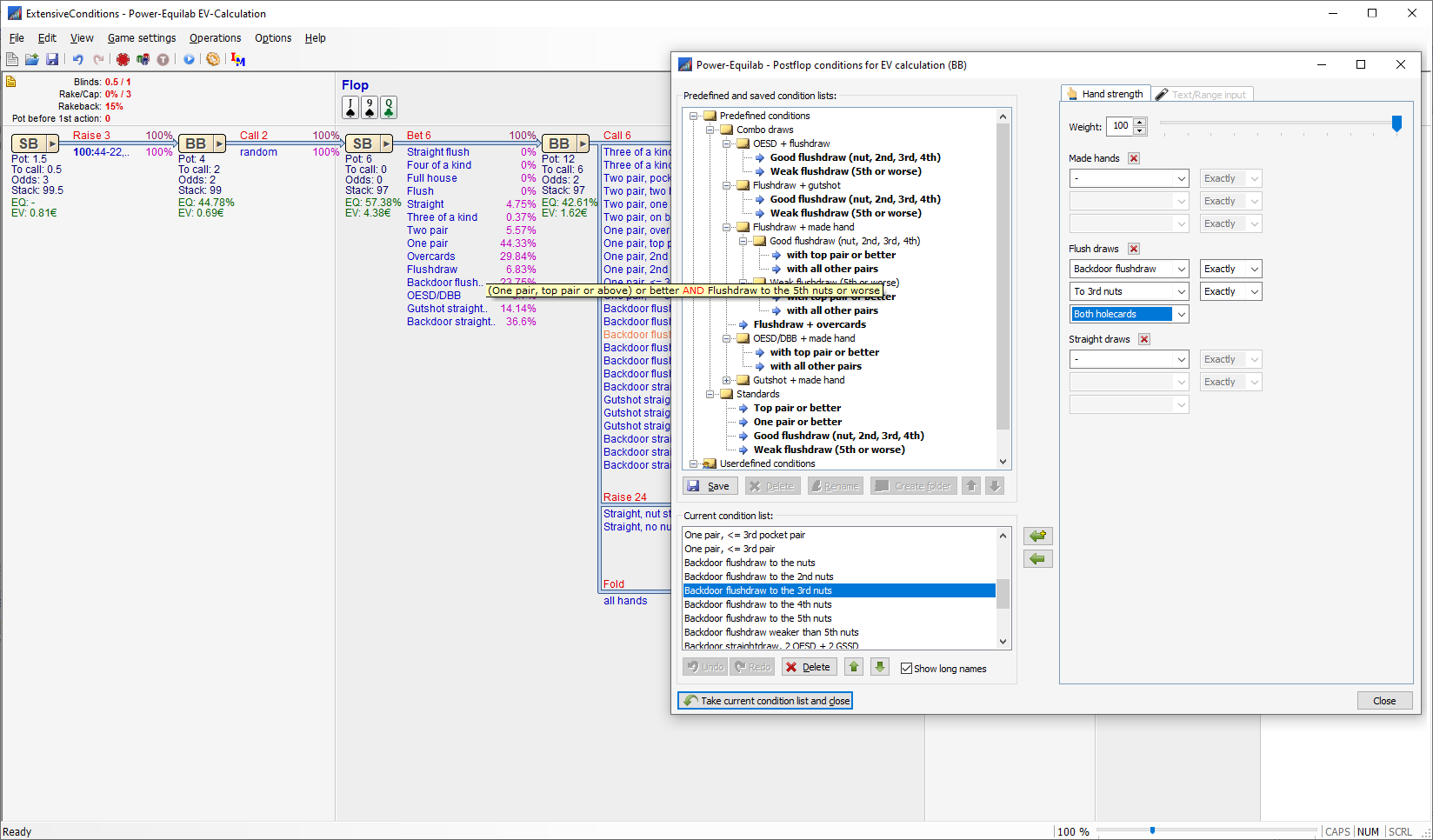
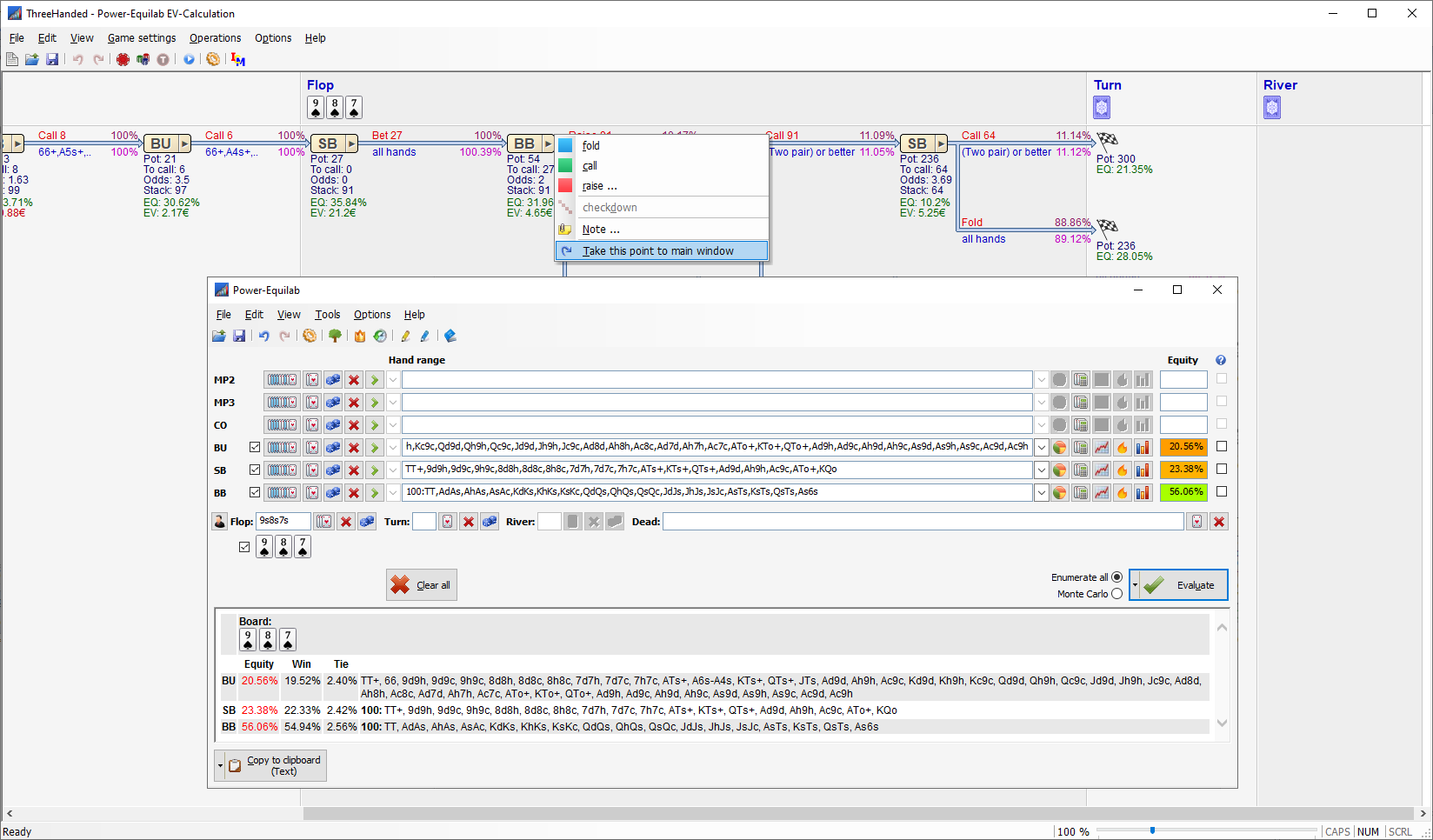
Here are a few pictures (manual is in progress):

- various options at start:

- various zoom- and display options:

- various popups with all the interesting data:

- import from hand-history files:

- notes for alle parts of tree:

-preflop range selection:

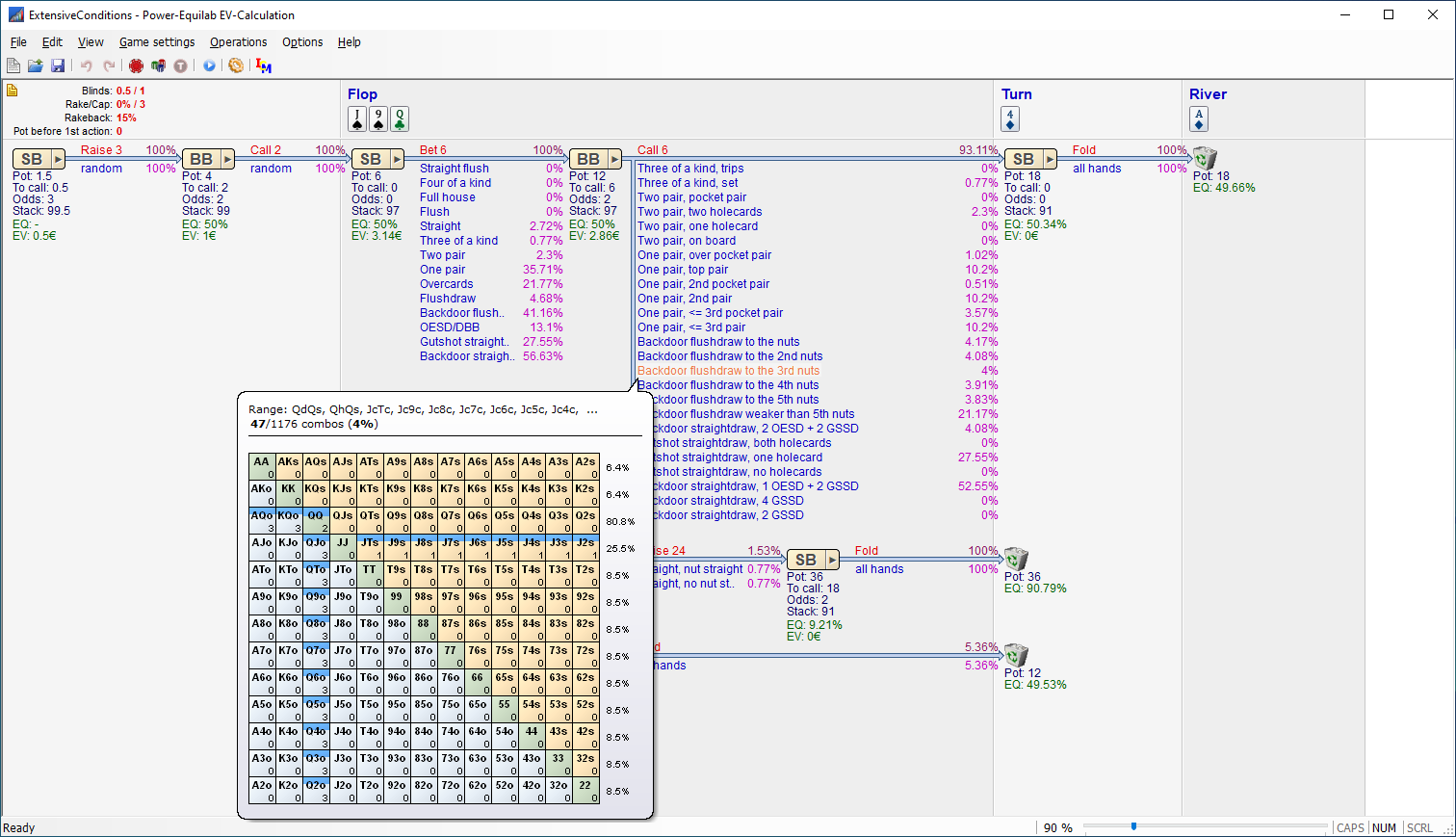
- postflop conditions:

-placing any position in the tree to the main window:

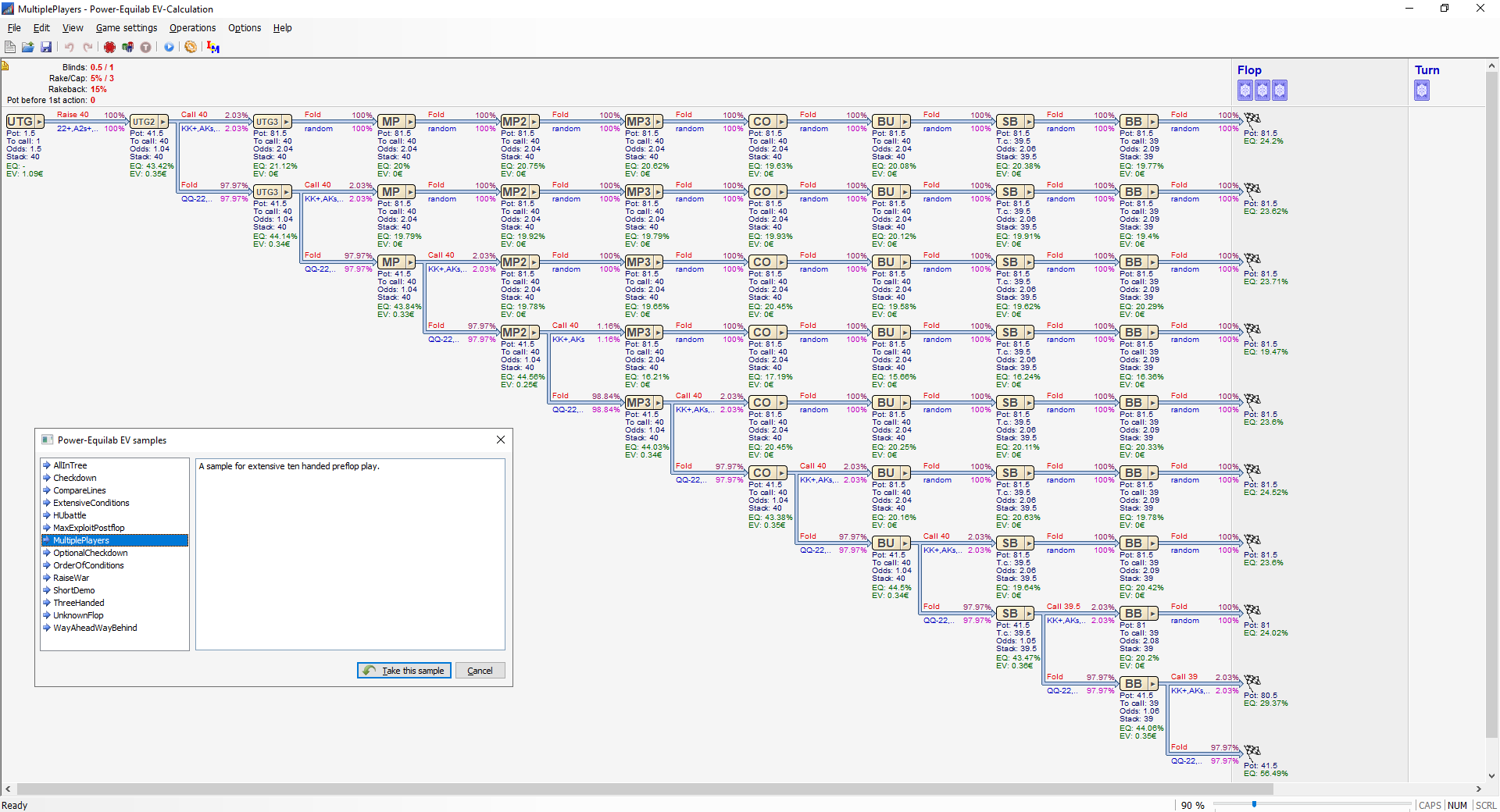
-online samples available:

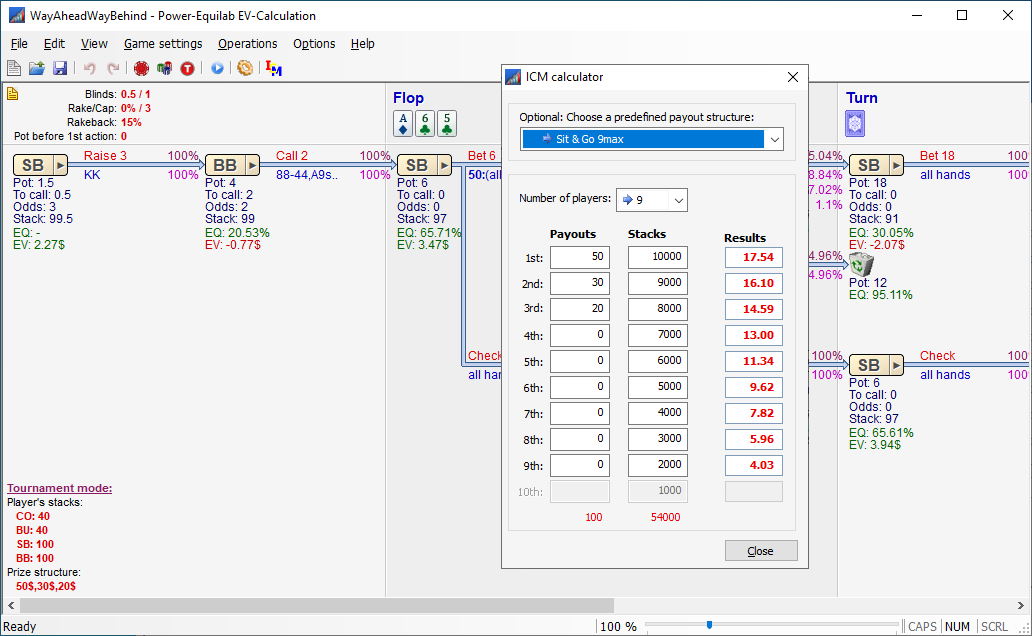
-tournament mode and ICM calculator:

- unlimited postflop conditions:

best regards, nopi


Reply
Quote
nopi
Joined: 18.08.2006

Hello everybody,

Due to some user requests there are a few small enhancements in the new version 1.11.17.0

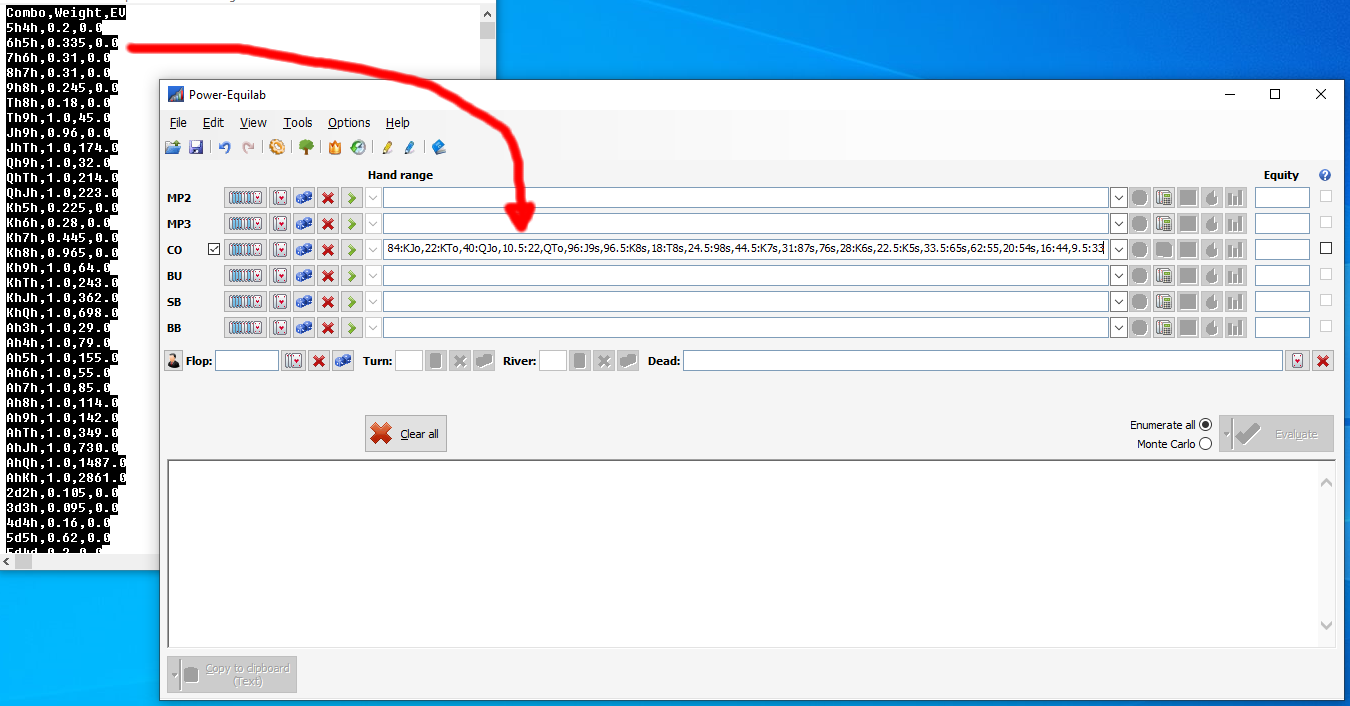
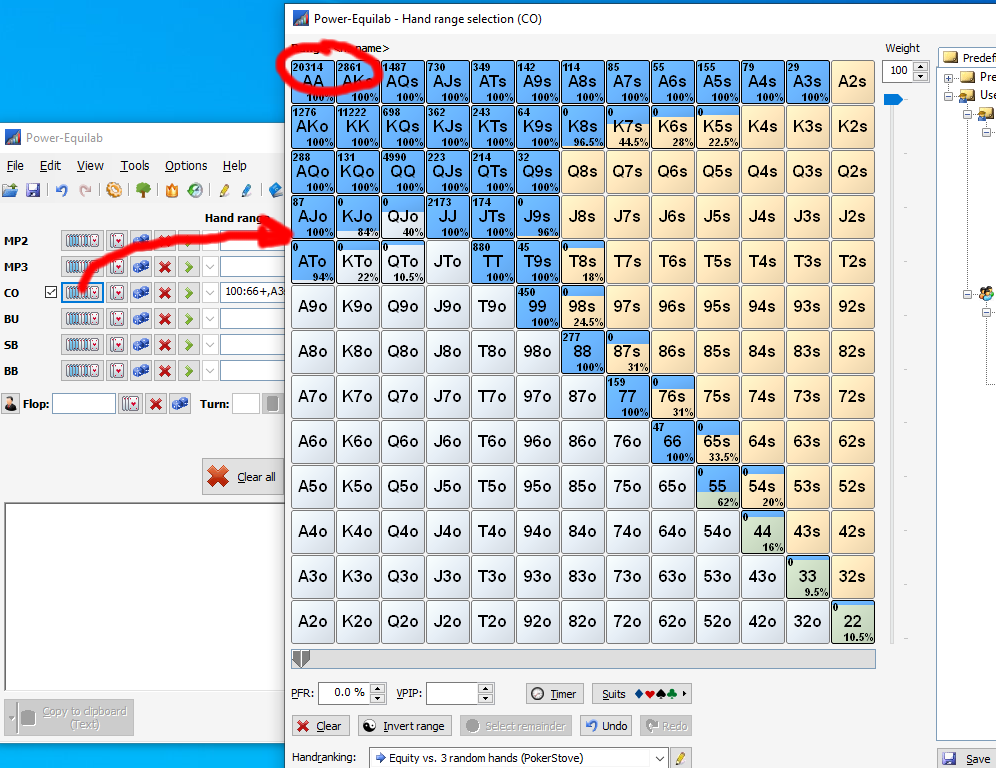
Automatic detection of Monker-Solver output (hand, weight, EV) when pasting into the input fields:

Background storage of the imported EVs (in Milli-BBs) and display in the handrange dialog:

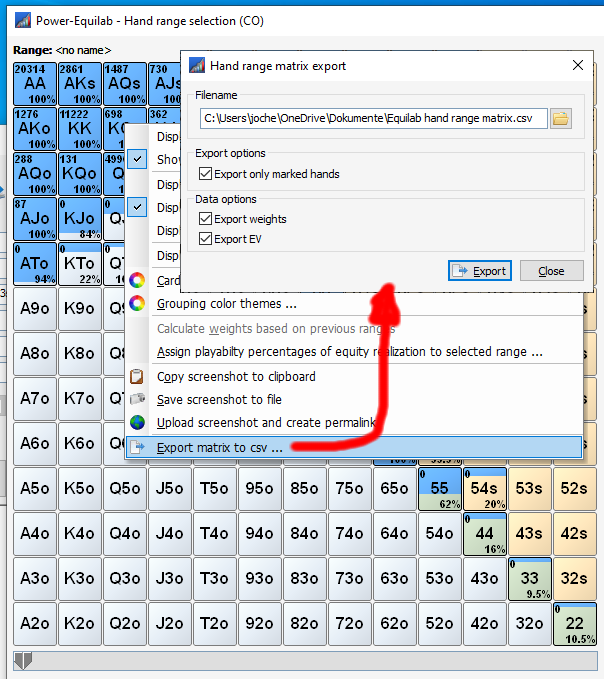
Export of the matrix with some options in csv format:

best regards, nopi


Reply
Quote
nopi
Joined: 18.08.2006

Hello everybody,

We have implemented a small new feature in version 1.11.18.0:

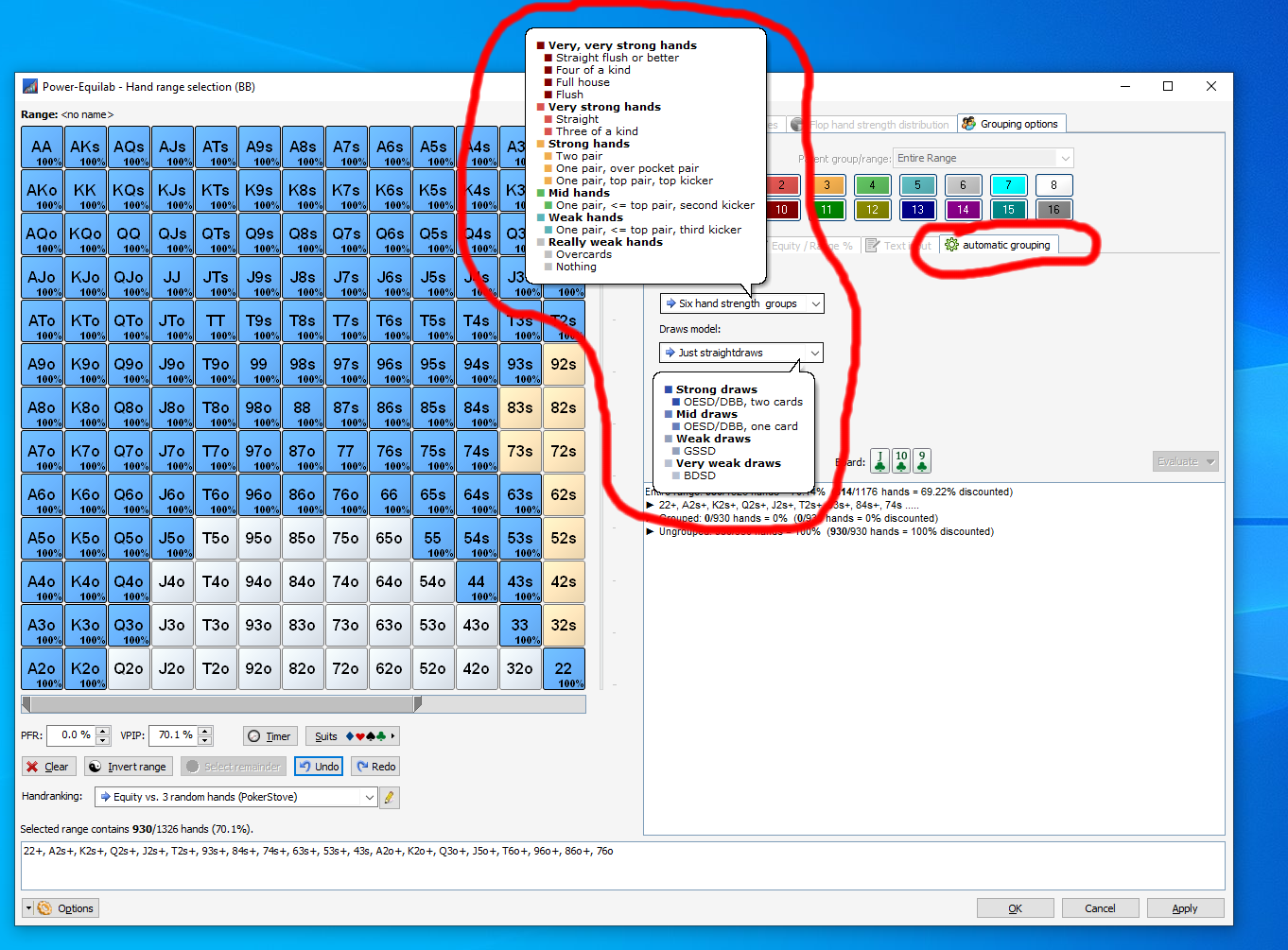
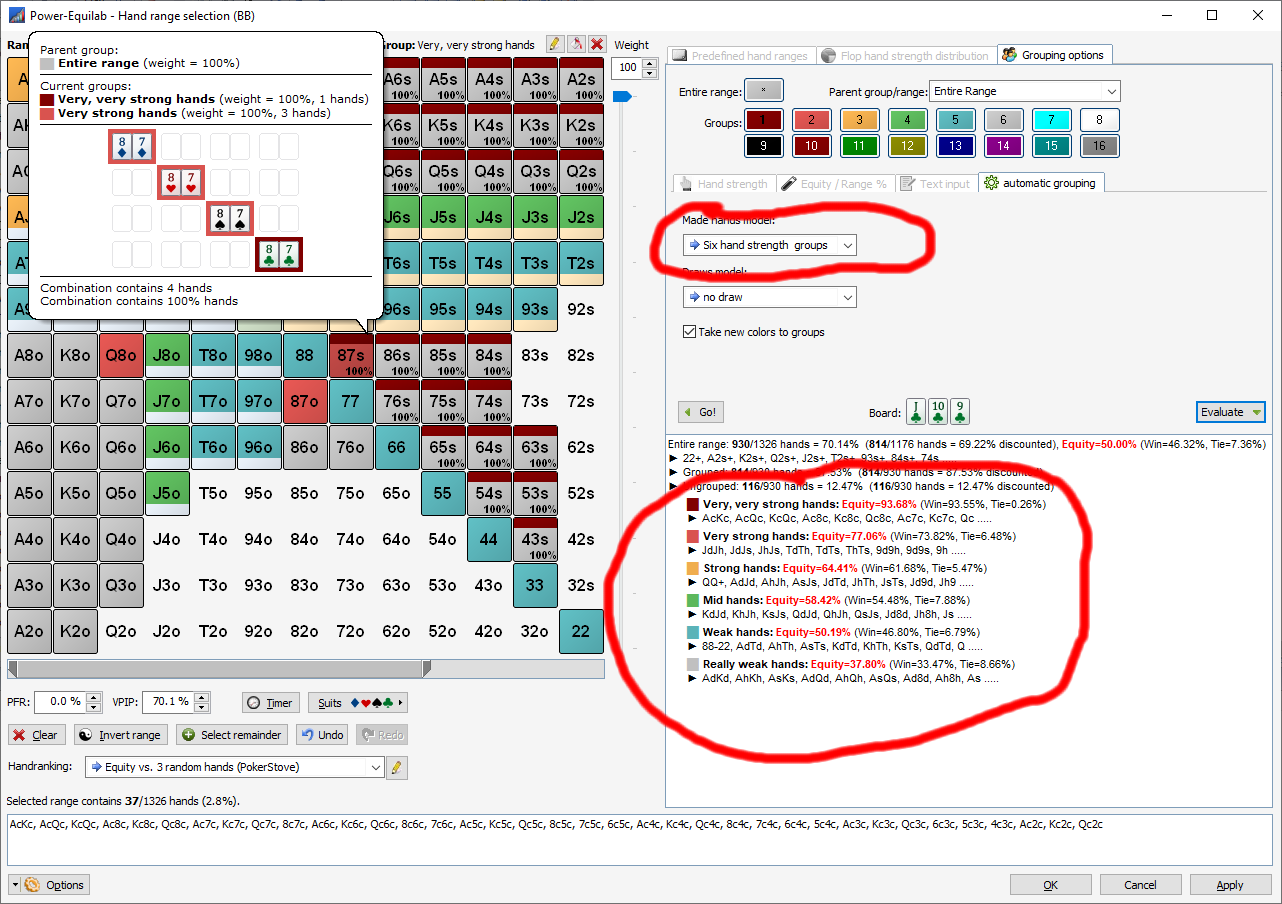
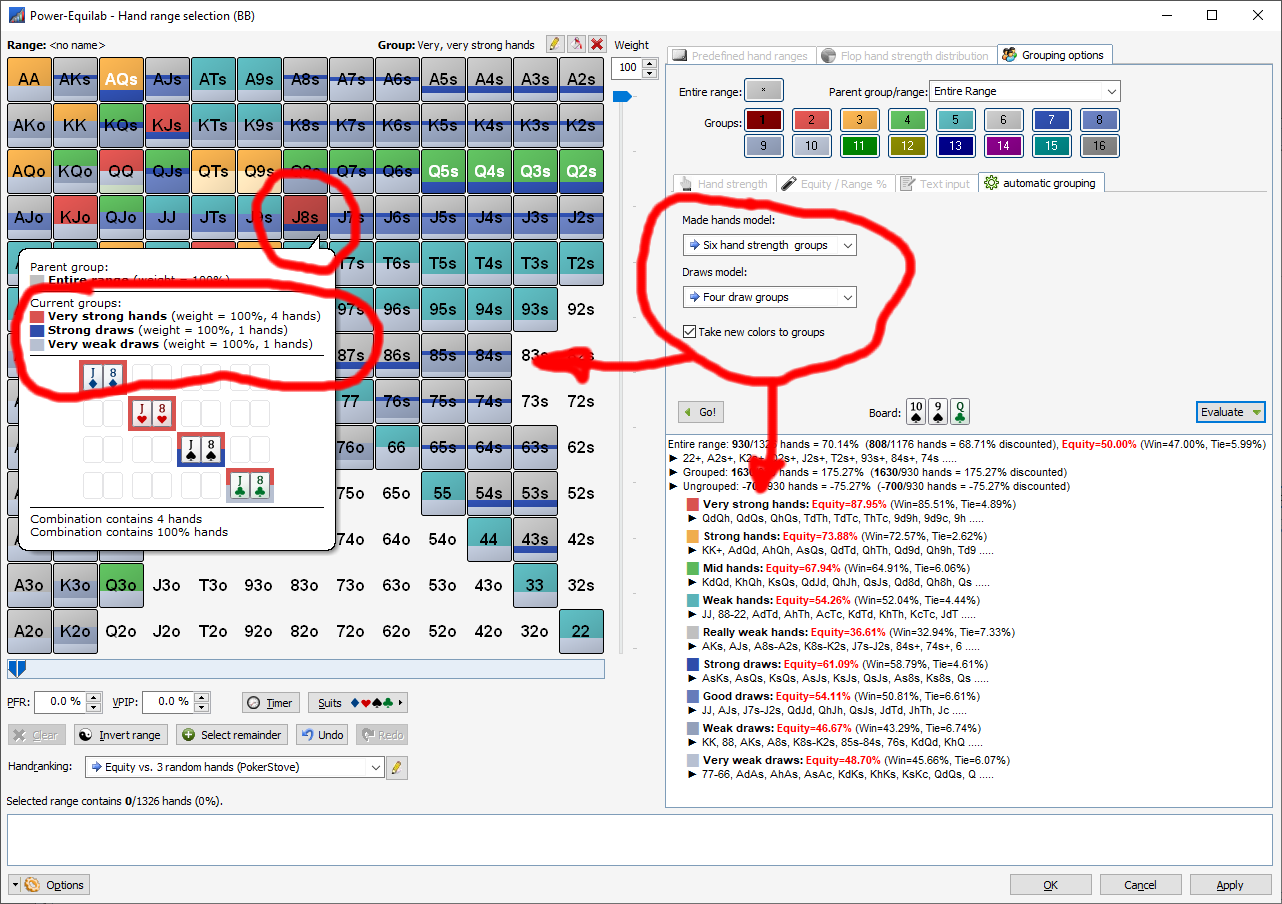
Automatic grouping: Using various grouping models, various sub-ranges can be generated automatically for a given board. Of course, you can easily calculate the equities for all sub-ranges against all other ranks in the main window (HU up to nine villains).

Selection of various models for made hands and for draws:

Automatic grouping, here based on made hands:

... and here using the example of draws:

Of course, the models can also be combined:

best regards, nopi


Reply
Quote
Phichi592
Joined: 06.03.2014

Dear support, i just purchased the equilab for 2 months and i am waiting for activation since this morning. Could any1 support?


Reply
Quote
nopi
Joined: 18.08.2006

Originally posted by Phichi592
Dear support, i just purchased the equilab for 2 months and i am waiting for activation since this morning. Could any1 support?

sorry for the delay ... your subscription is already activated.


Reply
Quote
fastroller
Joined: 05.01.2010

Hi I just purchased power-equilab and I really liked the required equity to call from the free version and I don't see it here. Is there a way to do it that I don't know of?

https://gyazo.com/2daab91d3bb2257b7675d78cebea32f9

I was hoping to use this for the equity realization tool and I wondered if it factored in equity realization but I don't see the feature.


Reply
Quote
nopi
Joined: 18.08.2006

Originally posted by fastroller
Hi I just purchased power-equilab and I really liked the required equity to call from the free version and I don't see it here. Is there a way to do it that I don't know of?

https://gyazo.com/2daab91d3bb2257b7675d78cebea32f9

I was hoping to use this for the equity realization tool and I wondered if it factored in equity realization but I don't see the feature.

Hi fastroller,

of course there is this feature, even in an improved extended form: http://www.power-equilab.com/Manual/Manual.htm#_Toc63931345

best regards, nopi


Reply
Quote

Hello to all.
I was messing around with Power Equilab and I saw that in the hand range calculator there are two calculation modes (the playbility profiles): percentage of equity realization (and so far we are) and equity offsets.
Does anyone know what exactly is meant by equity offsets and how is it different from equity realization? I looked at the Power Equilab online manual but it just says you can choose between the two options but it doesn't explain the difference


Reply
Quote
nopi
Joined: 18.08.2006

Originally posted by anem804
Hello to all.
I was messing around with Power Equilab and I saw that in the hand range calculator there are two calculation modes (the playbility profiles): percentage of equity realization (and so far we are) and equity offsets.
Does anyone know what exactly is meant by equity offsets and how is it different from equity realization? I looked at the Power Equilab online manual but it just says you can choose between the two options but it doesn't explain the difference

Hi anem804,

steht doch aber so im Manual:

Playability is the difference between your true equity (the equity which is calculated) and the equity you will realize. These two values can be different because f. e. you often have to fold equity correct at the flop although you have this equity. F. e. you often have to fold K2o or f. e. 22 although you are ahead at the flop and you have a not so bad equity. Playability value can be specified by two methods:
· By Equity offset: This is an offset to the real equity, f. e. +3.5 for AA: If your equity is 60%, this value is added, so the result is 63.5%.
· By Percentage of realization: This is a factor, f. e. 115% for AA: If your equity is 60%, this value is multiplied, so the result is 69%.

Gruß, nopi


Reply
Quote
nopi
Joined: 18.08.2006

Hi together,

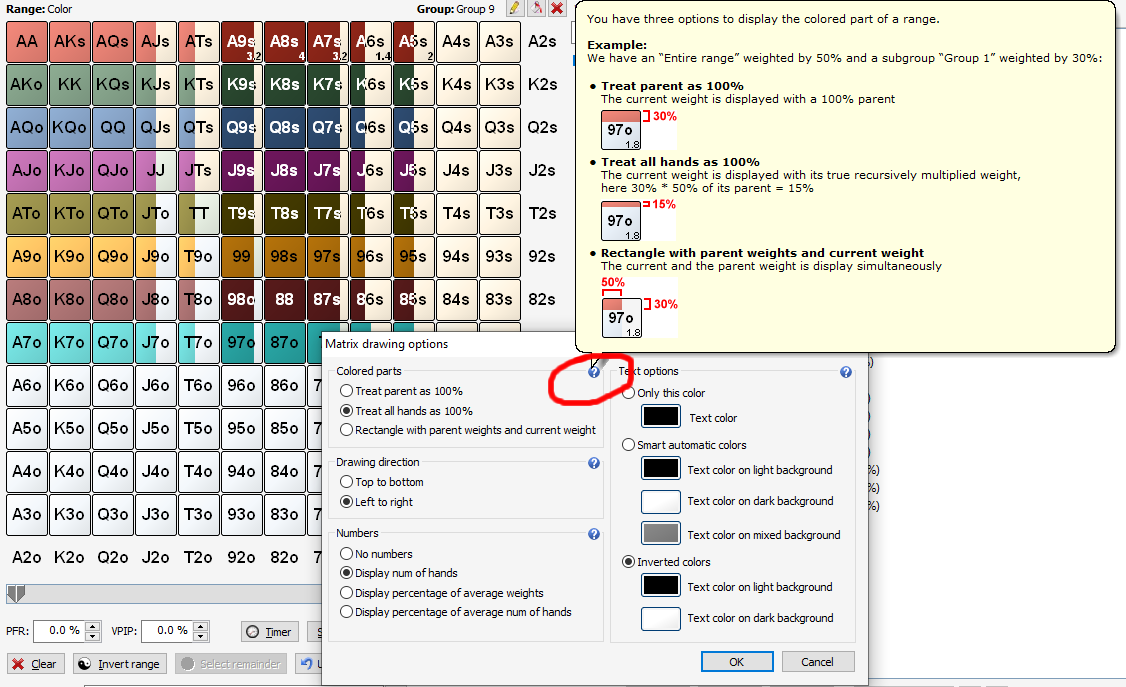
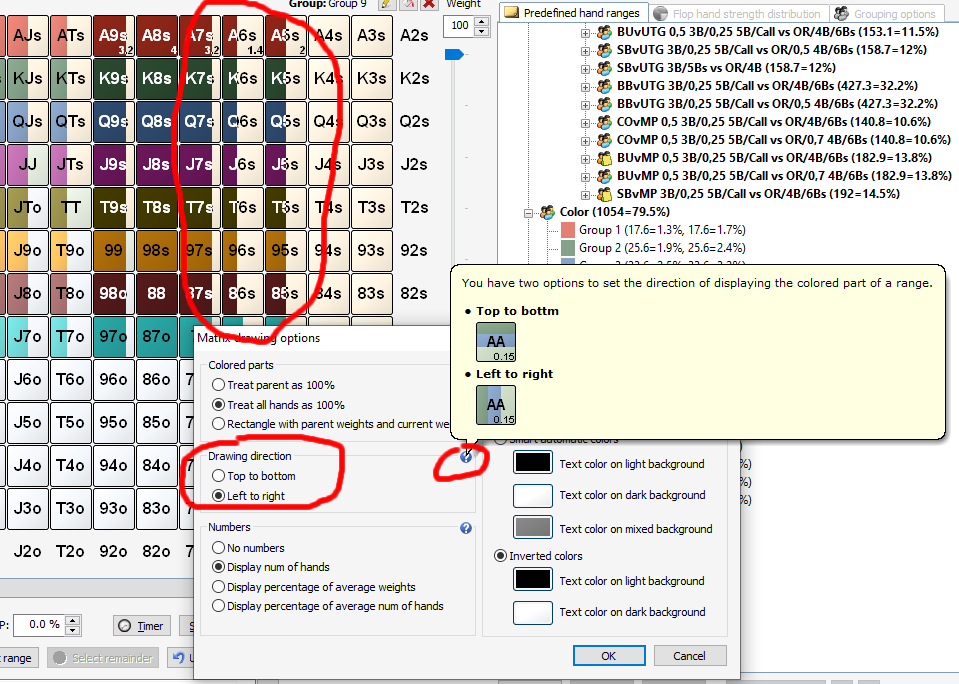
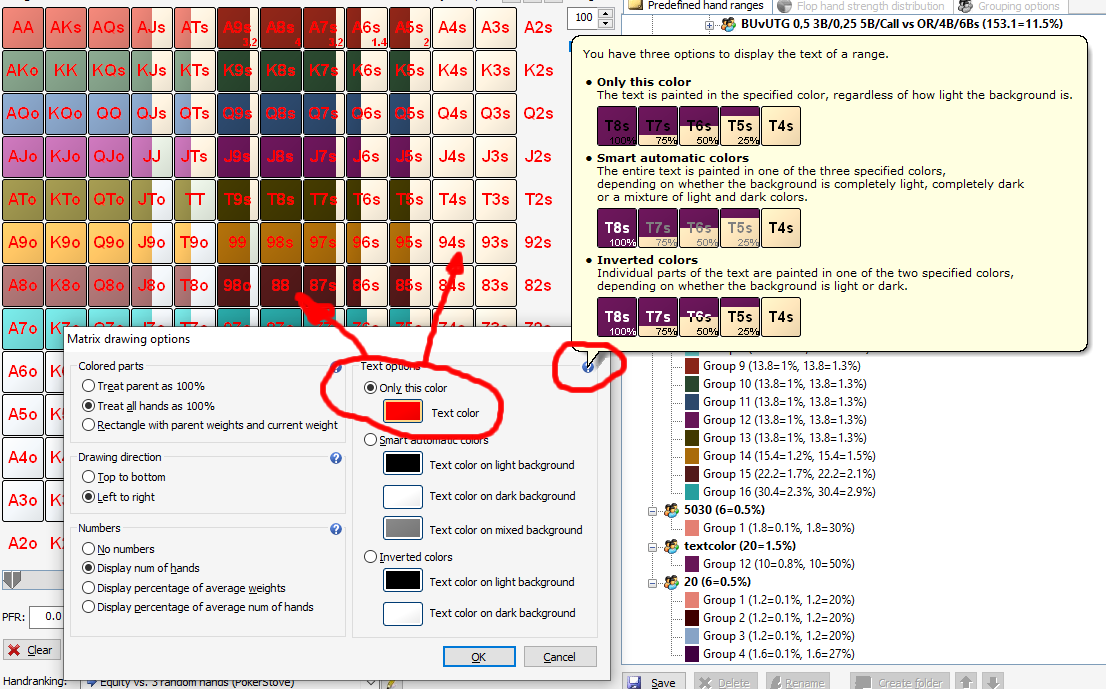
Due to user requests, we have added some new display options for the card matrix (from left to right, various color options).
At the same time, we have now combined all display options in one dialog.

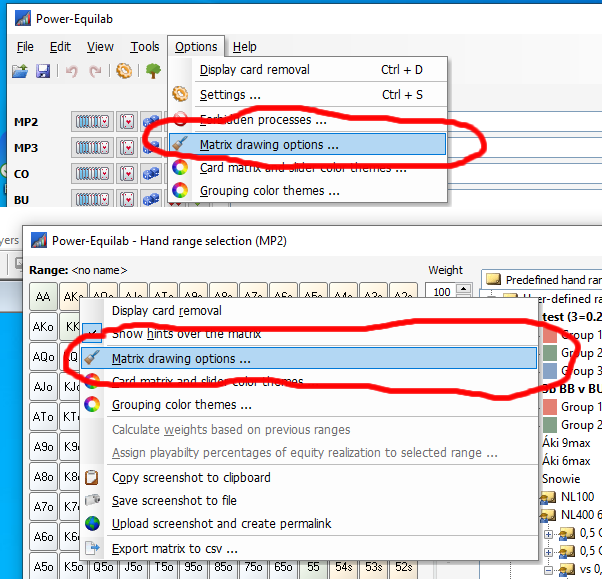
This settings dialog can be reached via the options menu (main window) or the context menu (right click over the card matrix):

For a better understanding, all options are provided with a small help popup:

- Some PIO users wanted the display option "Left to right":

Color option "Only this color": The text is painted in the specified color, regardless of how light the background is:

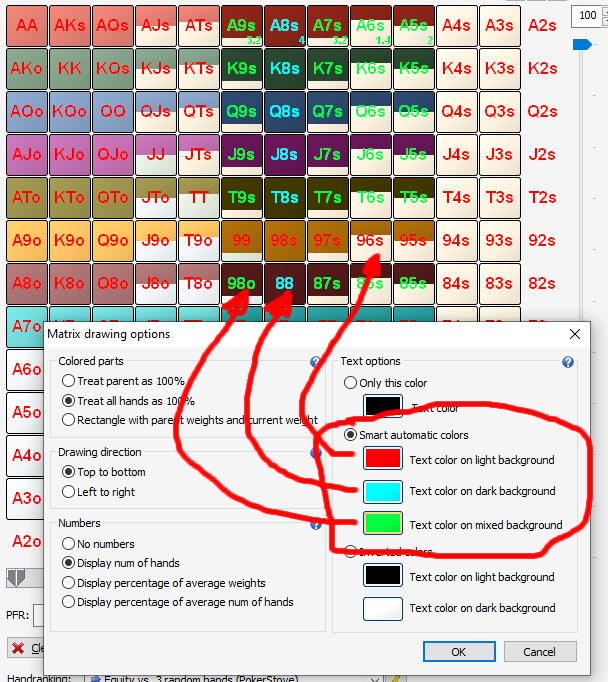
Color option "Smart automartic colors": The entire text is painted in one of the three specified colors, depending on whether the background is completely light, completely dark or a mixture of light and dark colors.

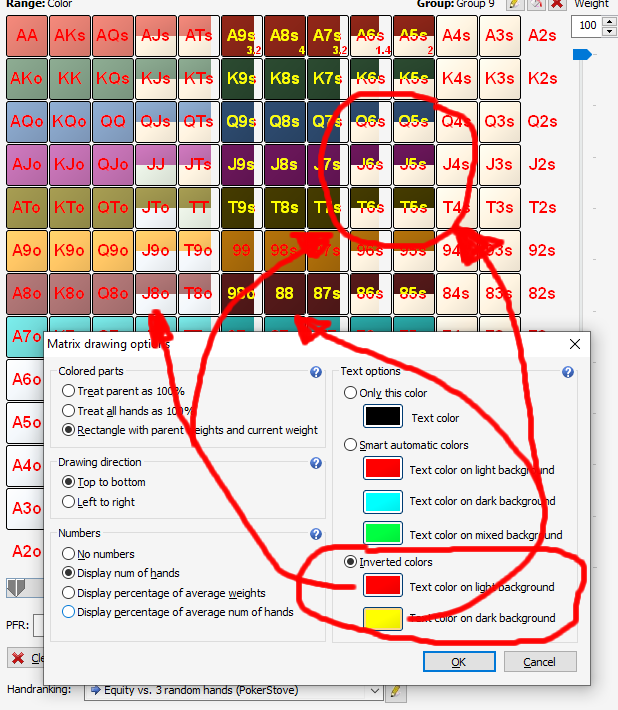
Color option "Inverted colors": For maximum contrast, individual parts of the text are painted in one of the two specified colors,
depending on whether the background is light or dark:

best regards, nopi


Reply
Quote
nopi
Joined: 18.08.2006

The Power-Equilab now offers the cool feature "Flop filter", with which you can quickly and efficiently
get a good overview of possible flop constellations. This makes it easy to answer questions like
"How often does a certain flop texture appear?", "How often does an ace come up on the flop if I hold an ace myself?" or
"How do other blocker cards affect specific flop textures?" etc.
You can filter the available "random" flops accordingly, so you can analyse special scenarios for very specific flop textures.
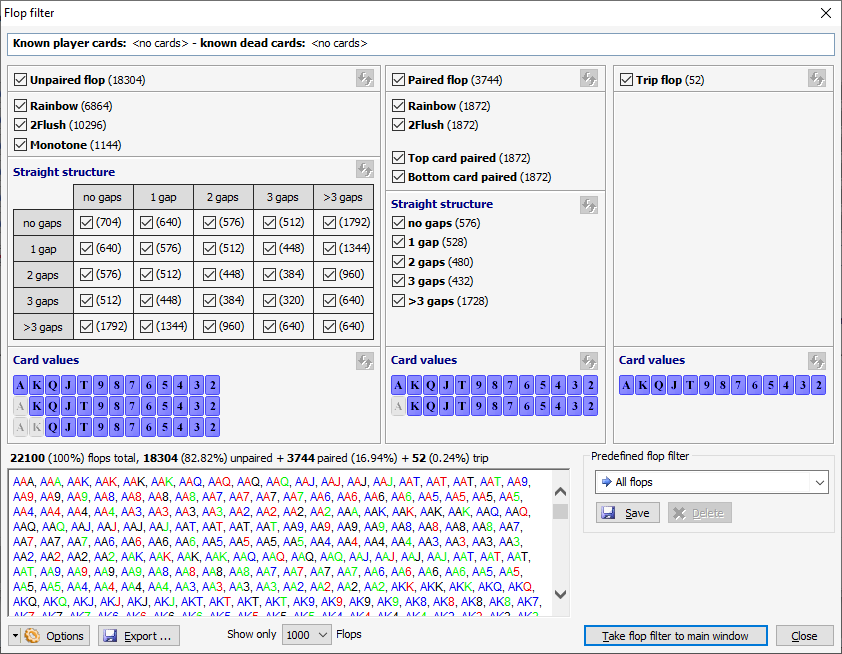
i.a. the flop filter offers the following functions:

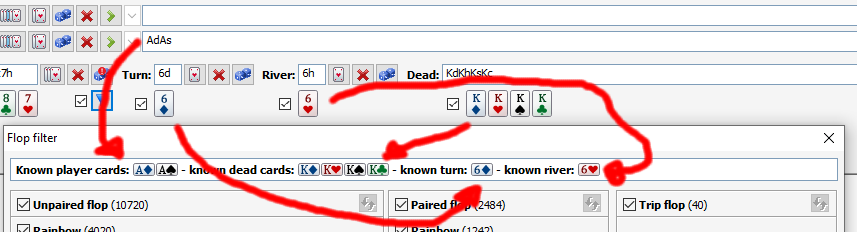
All Power-Equilab cards used are taken into account for the calculation:
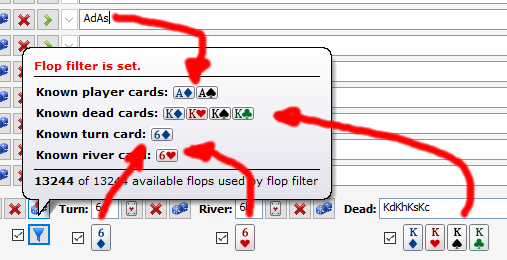
... and of course these are also included in the dialog:
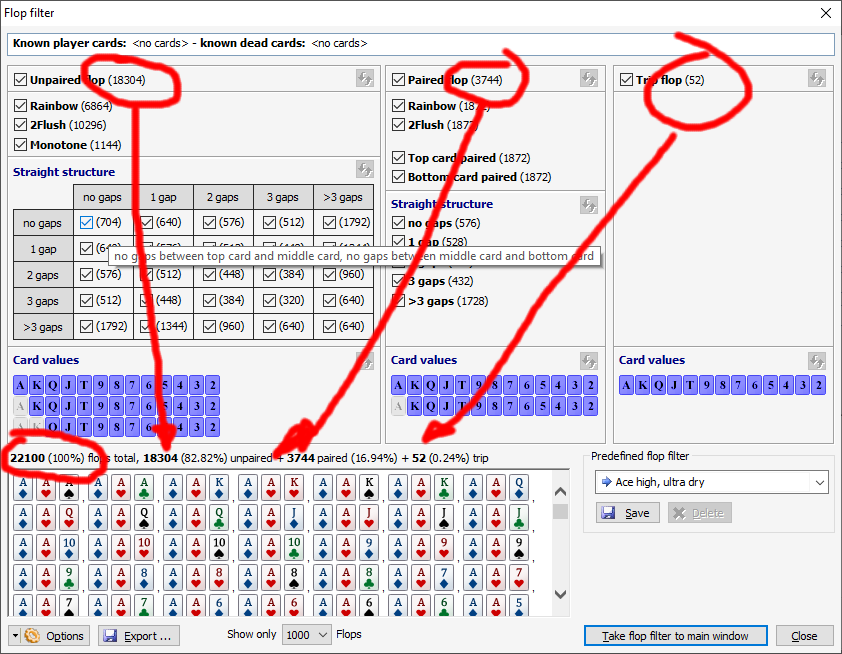
The flop filter consists of: Unpaired flops, paired flops and trip flops:
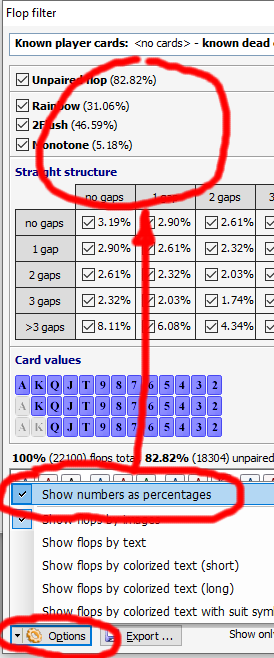
The number of flops can be displayed either as a number or as a percentage:
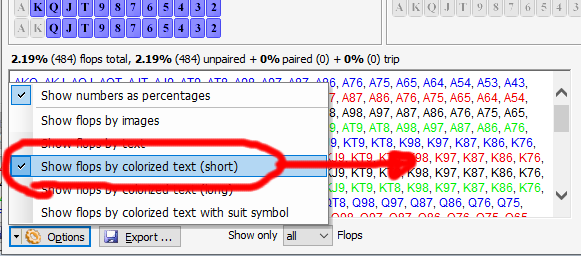
There are various display options for the flop cards:
Various "Predefined flop filters" can be used directly:
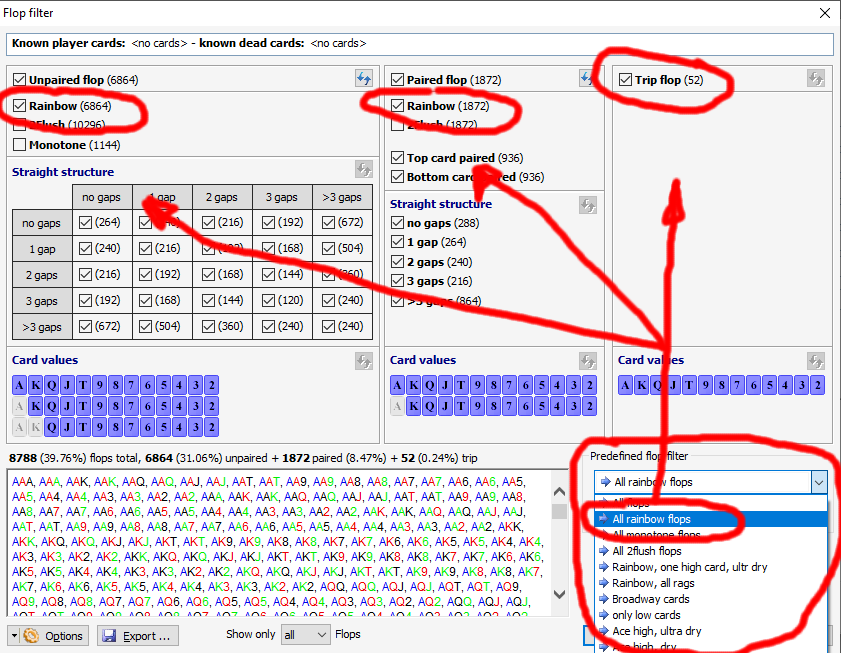
Of course, the user can define and save his own flop filters (marked with a red arrow):
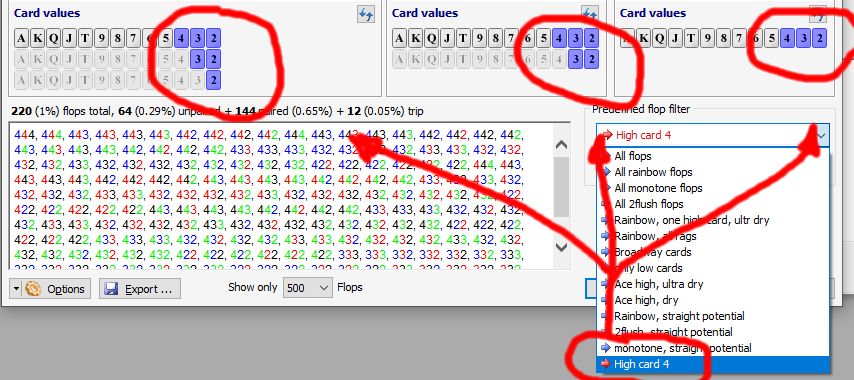
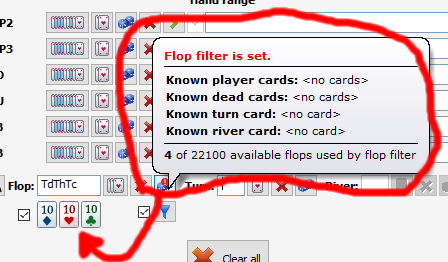
Various tooltips are displayed:
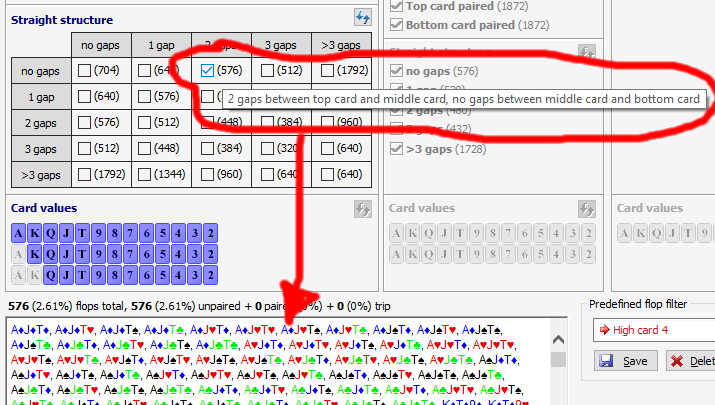
The flop cards can be precisely defined by certain "card values":
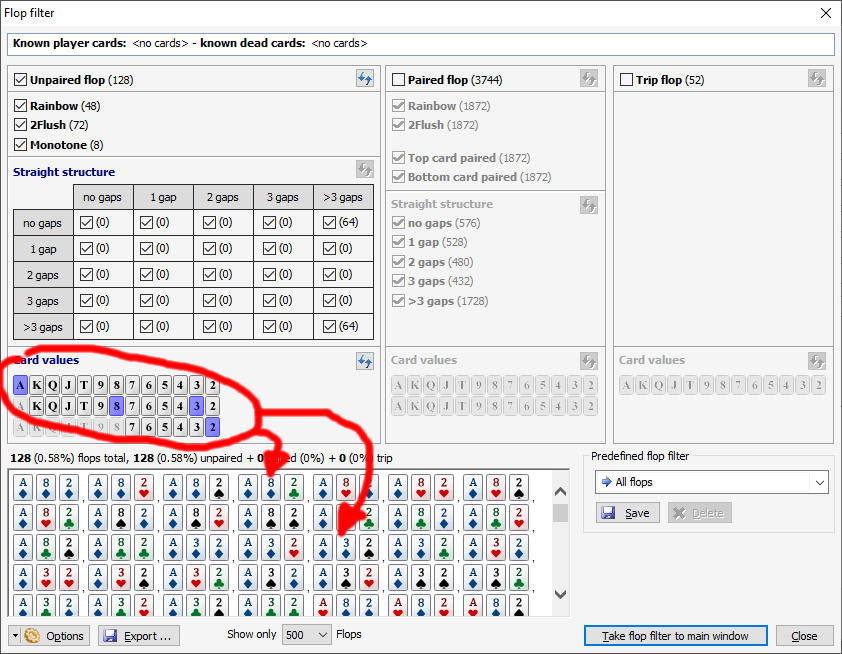
The filtered flops can be transferred to the main window as a filter...
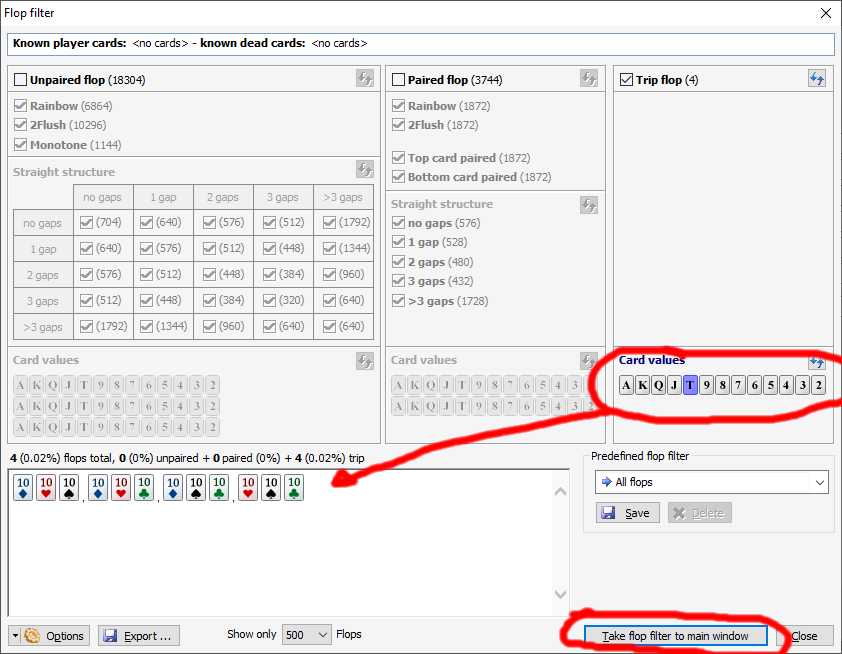
... and are used there accordingly:
Happy flopping :)

Regards, nopi


Reply
Quote
Super Moderator
VorpalF2F
Joined: 02.09.2010

Wow! That is nifty!


Reply
Quote
nopi
Joined: 18.08.2006

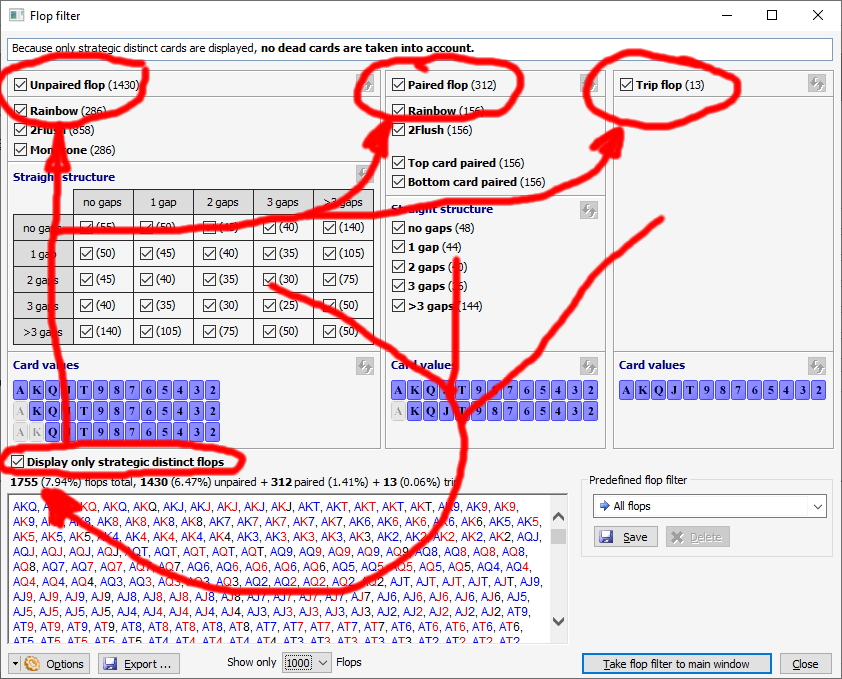
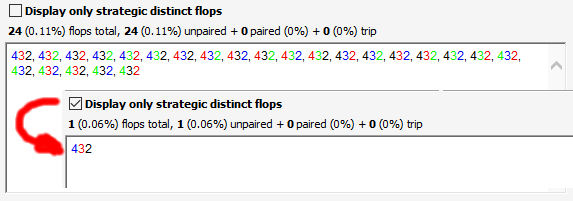
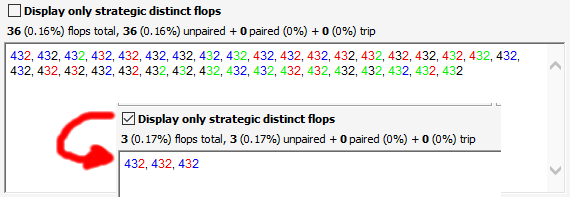
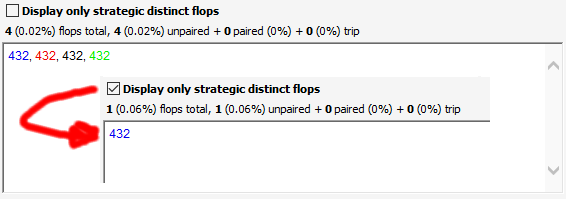
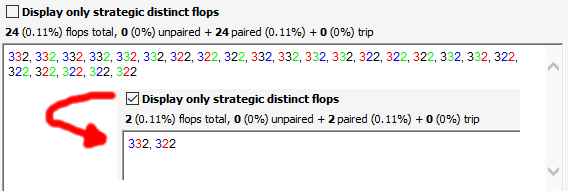
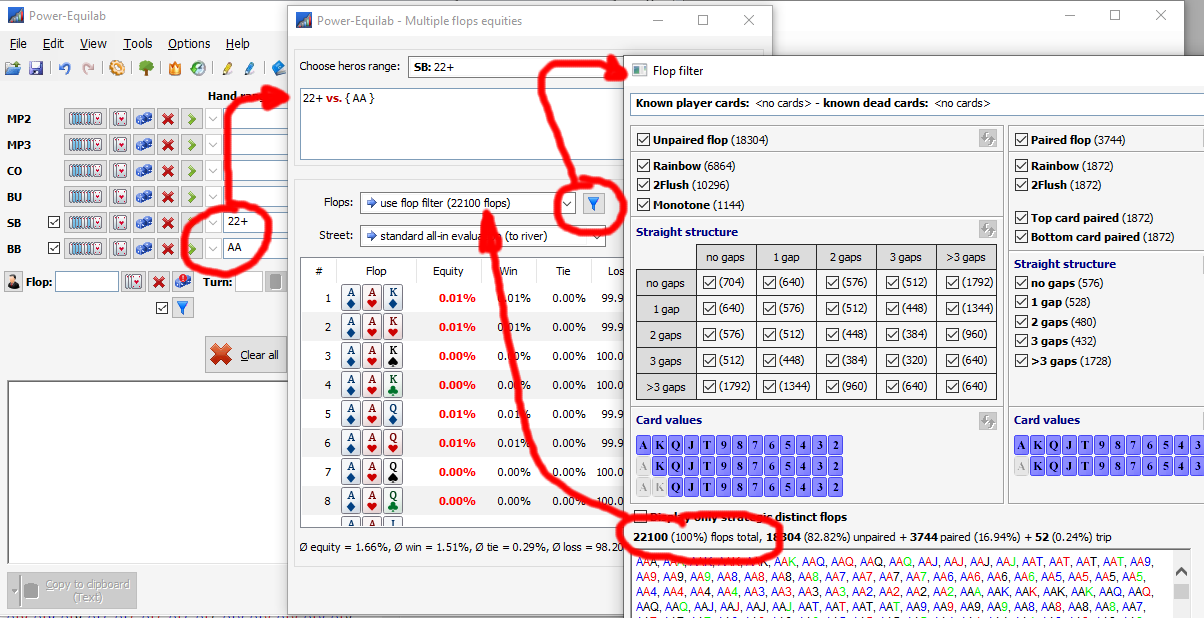
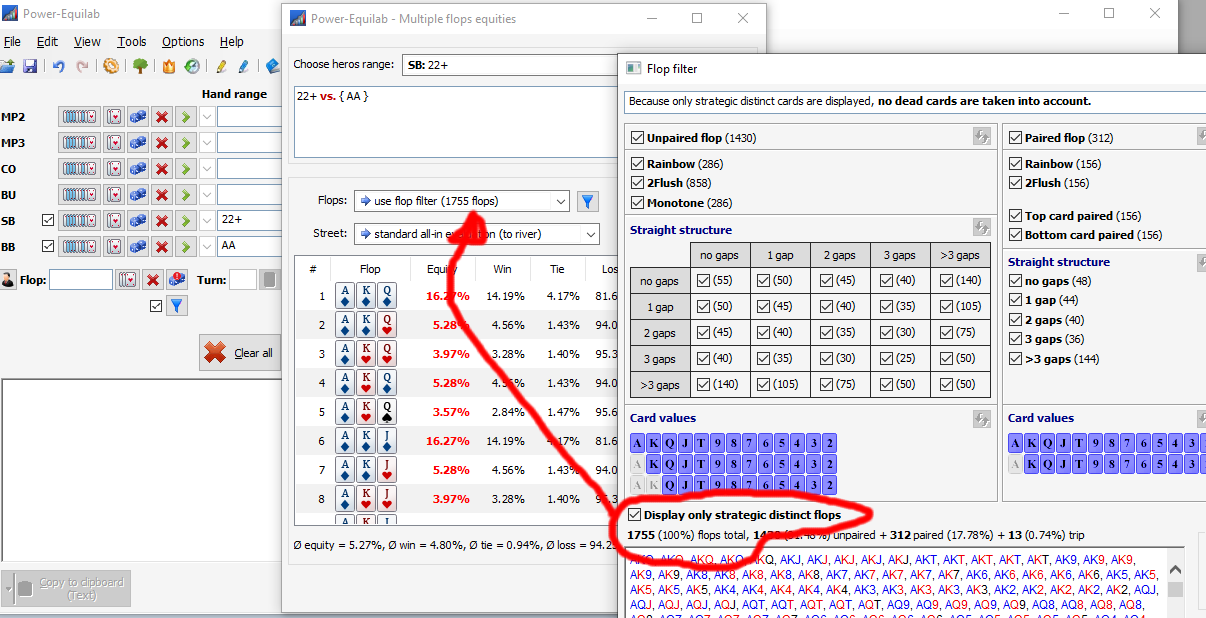
Cool new update for the flop filter: For the analysis of ranges without direct suit information, it can make sense not to look at all (22100 flops) but only the most relevant flops (1755 flops). There is also the setting option "Only show strategic distinct flops".

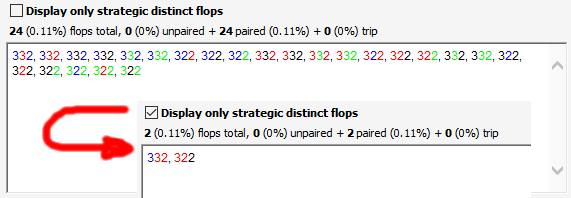
This is how 24 unpaired rainbow flops become exactly one flop:

36 unpaired, 2flush flops become three flops:

4 unpaired, monotonous flops become one flop:

24 paired rainbow flops become two flops:

paired from 24, 2flush flops become two flops:

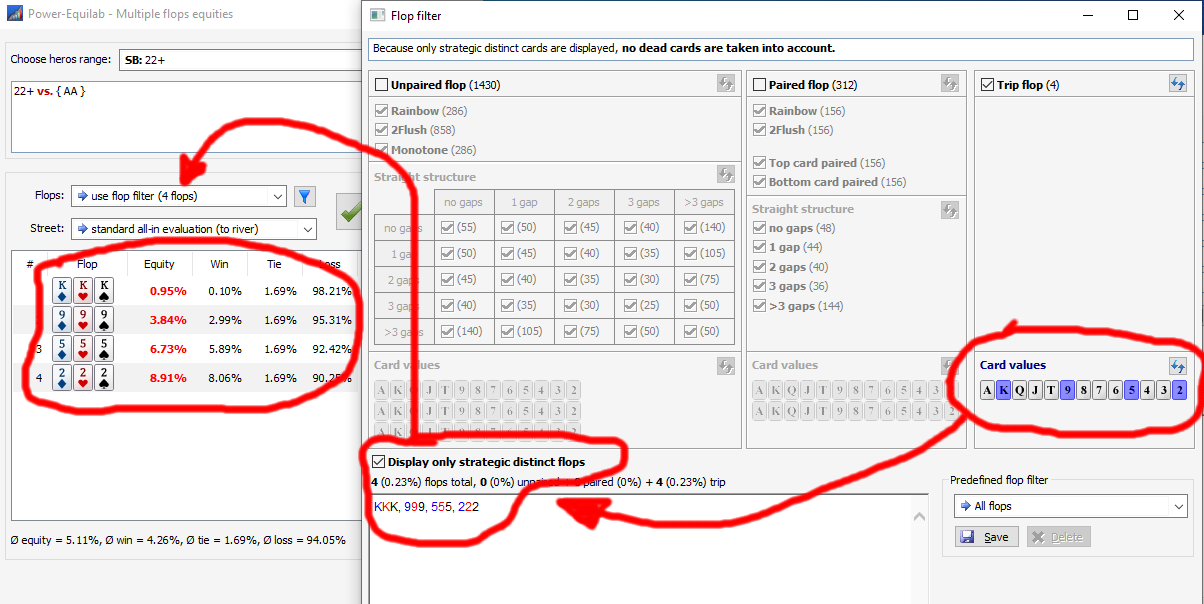
4 trip, rainbow flops becomes a flop:

To analyze a large, precisely defined number of flops, the new flop filter can also be used by "Multiple flop equities":

best regards, nopi


Reply
Quote
nopi
Joined: 18.08.2006

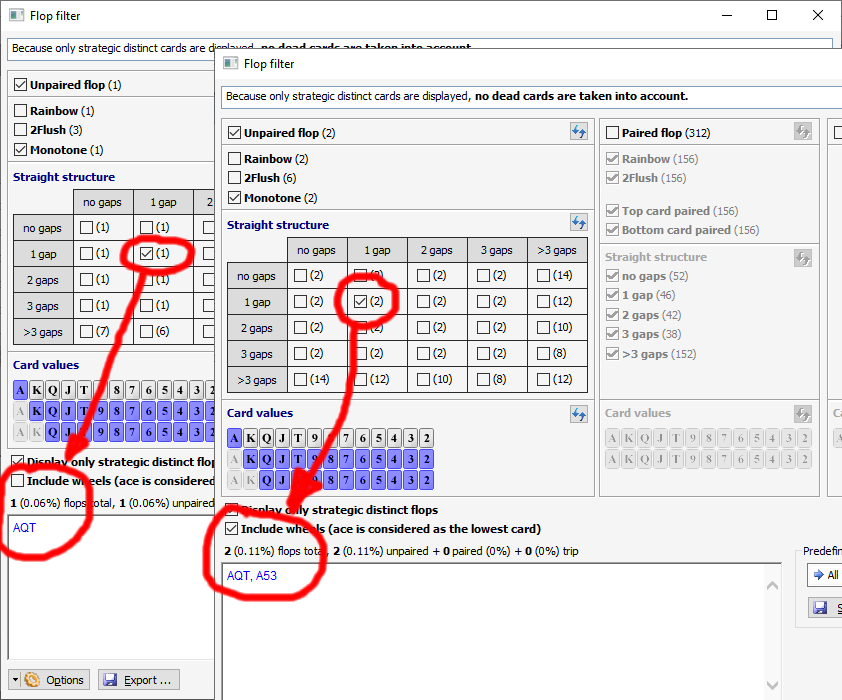
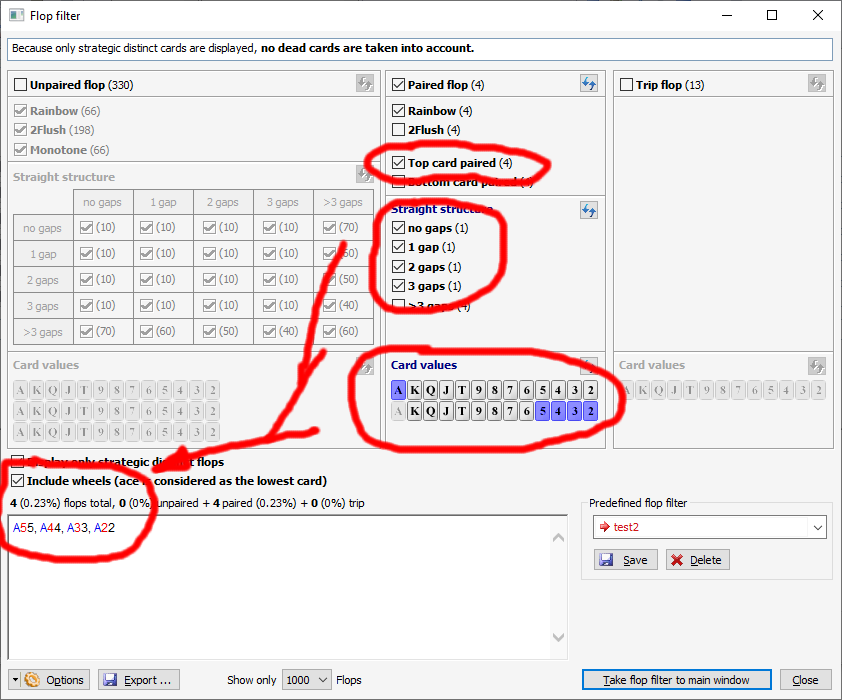
Version 1.12.3.0: New update for the flop filter: You can now use the "Include wheels" option to determine whether the "wheels" (straights A2345) should be taken into account when operating with straight options.

This works for gap information on unpaired flops...

... and of course also with paired flops:

best regards, nopi


Reply
Quote
zachrina
Joined: 05.12.2012

Hi, Is there any way I can get gto ranges and put them straight into power equilab without manually punching them all in? I don't have them in my possession so would also need somewhere to get them from. Say like the ranges from a poker coaching website?


Reply
Quote
nopi
Joined: 18.08.2006

Originally posted by zachrina
Hi, Is there any way I can get gto ranges and put them straight into power equilab without manually punching them all in? I don't have them in my possession so would also need somewhere to get them from. Say like the ranges from a poker coaching website?

Hi zachrina,

it depends on the format (from where did you get these ranges?).
The most formats are accepted by inserting the range directly into the input fields into the main window.

best regards, nopi


Reply
Quote
zachrina
Joined: 05.12.2012

Hi,

I don't have any ranges. I was asking if there is anywhere I can get them also. And copy them straight into equilab without having to manually copy them.


Reply
Quote
nopi
Joined: 18.08.2006

Originally posted by zachrina
Hi,

I don't have any ranges. I was asking if there is anywhere I can get them also. And copy them straight into equilab without having to manually copy them.

sorry ... but where you get the ranges from is up to you :)


Reply
Quote